Developers
This section is for whoever builds the integration for a brand or agency: a POS, an online shop, a CRM or your own website.
What you can integrate
| I want to… | Use | Page |
|---|---|---|
| Look up members and points from my POS or backend | Public API /api/v1 | Public API |
| Create and manage programmes, tiers, campaigns, rewards and coupons by API | Management API | Management API |
| Get short-lived tokens instead of sending the key | OAuth2 client credentials | OAuth2 |
| Automate back-office tasks with a key | Admin scopes | Admin scopes |
| Get notified in my system when something happens in the programme | Outgoing webhooks | Webhooks |
| Receive events in my SQS queue or as a daily file in my bucket | SQS queue and S3 export | Events to your queue or bucket |
| Develop without sending real messages or moving real money | Test mode and mk_test_ keys | Test mode |
| Try the API from Postman | Postman collection | Postman collection |
| Build my own landing page or portal in JavaScript | JavaScript SDK | JavaScript SDK |
| Show a campaign inside my website and read its ranking | Embed and public ranking | Campaign embed |
| Publish my own HTML5 game in the member portal | External games | Quick start |
Authenticating with an API key
Calls to /api/v1 carry an API key from your account in the Authorization header:
Authorization: Bearer mk_xxxxxxxxxxxxxxxx
Keys only exist in client accounts: a key from the host account gets 403.
If you would rather not send the key on every call, exchange it for a short-lived token with OAuth2.
Create a key
- Go to Administration › API Keys. You need the API Keys permission (
Pages.Administration.ApiKeys). - Click Create New API Key.
- Fill in Name, Description and, optionally, the expiry date (leave it empty for no expiry).
- Adjust Rate Limit per Hour. The default is 1000.
- Optionally restrict Allowed IPs and Allowed Origins (empty = any).
- Click Save.
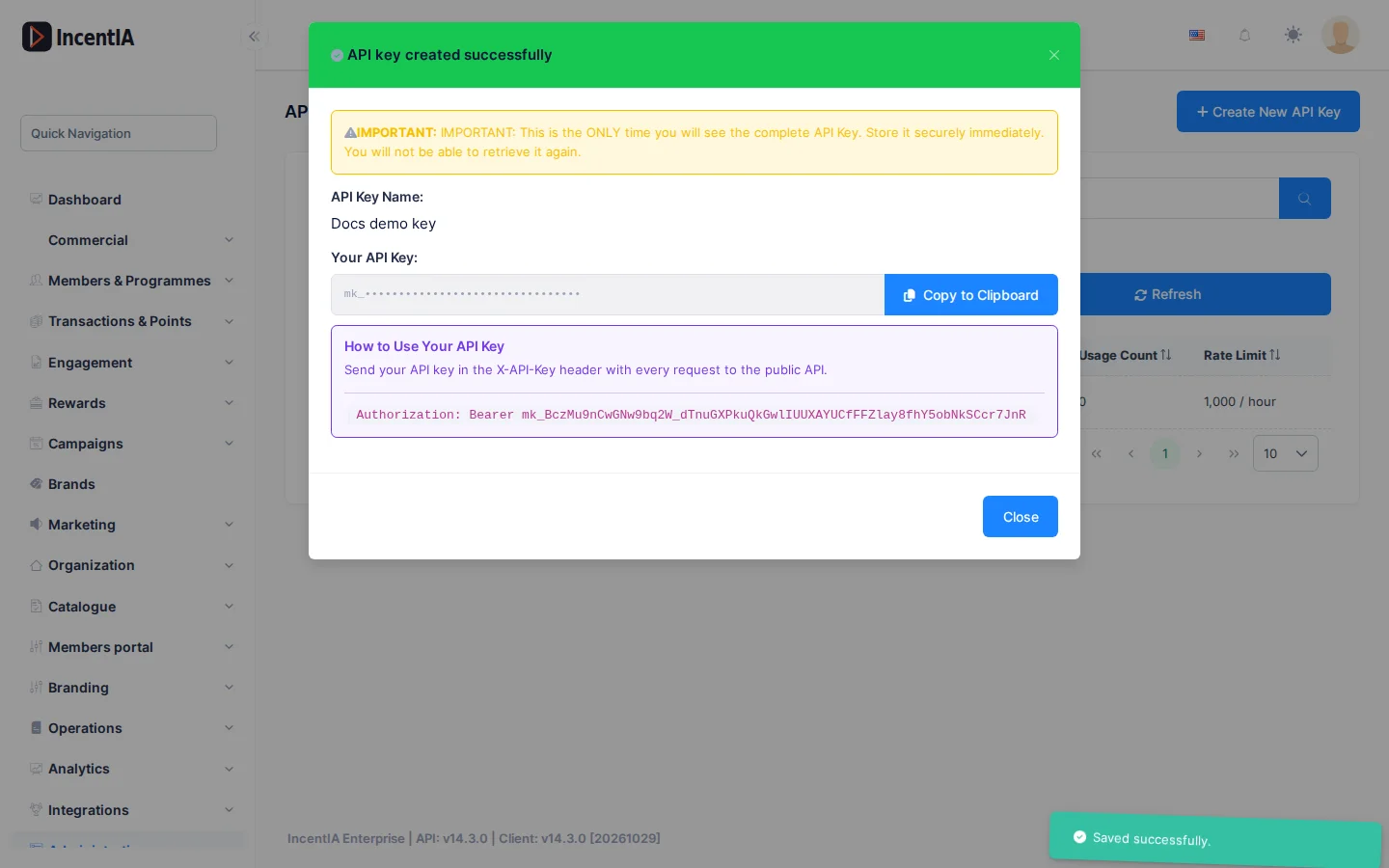
The full key is shown only once, when you create it. If you lose it, use Regenerate: the old one stops working immediately.
Scopes
The API checks these scopes. A key with no scopes has full access.
| Scope | Allows |
|---|---|
read | Look up members, balances and history, and validate coupons |
transactions:write | Register purchases, actions, redemptions and point adjustments |
coupons:write | Redeem coupons at the till |
The Scopes selector in the form currently offers other values (documents:read, credits:write…). The public API only recognises the three above: with a key that carries only those other values, every call returns 403. If you do not need to restrict the key, leave Scopes empty.
The scopes of the Management API (programs:*, campaigns:*, rewards:*, coupons:read, coupons:manage, raffles:read) and the admin ones (admin:*) are not given to a key with no scopes: they must be granted expressly, and the form does not offer them either (they are set through the administration API).
Limits
- Each key has burst (per second), per-minute and per-hour caps, on top of your account's monthly API quota. Going over any of them returns
429withRetry-After: the seconds until the window that rejected the request resets (not always an hour). - Errors return
application/problem+jsonwith a stablecode(and, for compatibility, the text inerror).
Environments
Use the same key format and the same paths in every environment; only the base address changes. Ask your administrator for your platform's address and do not hard-code it.