The dashboard
The Dashboard is the first screen you see when you sign in to IncentIA. It summarises in a single view how your campaigns, channels and loyalty programme are doing, and alerts you to what needs your attention. Menu: Dashboard.
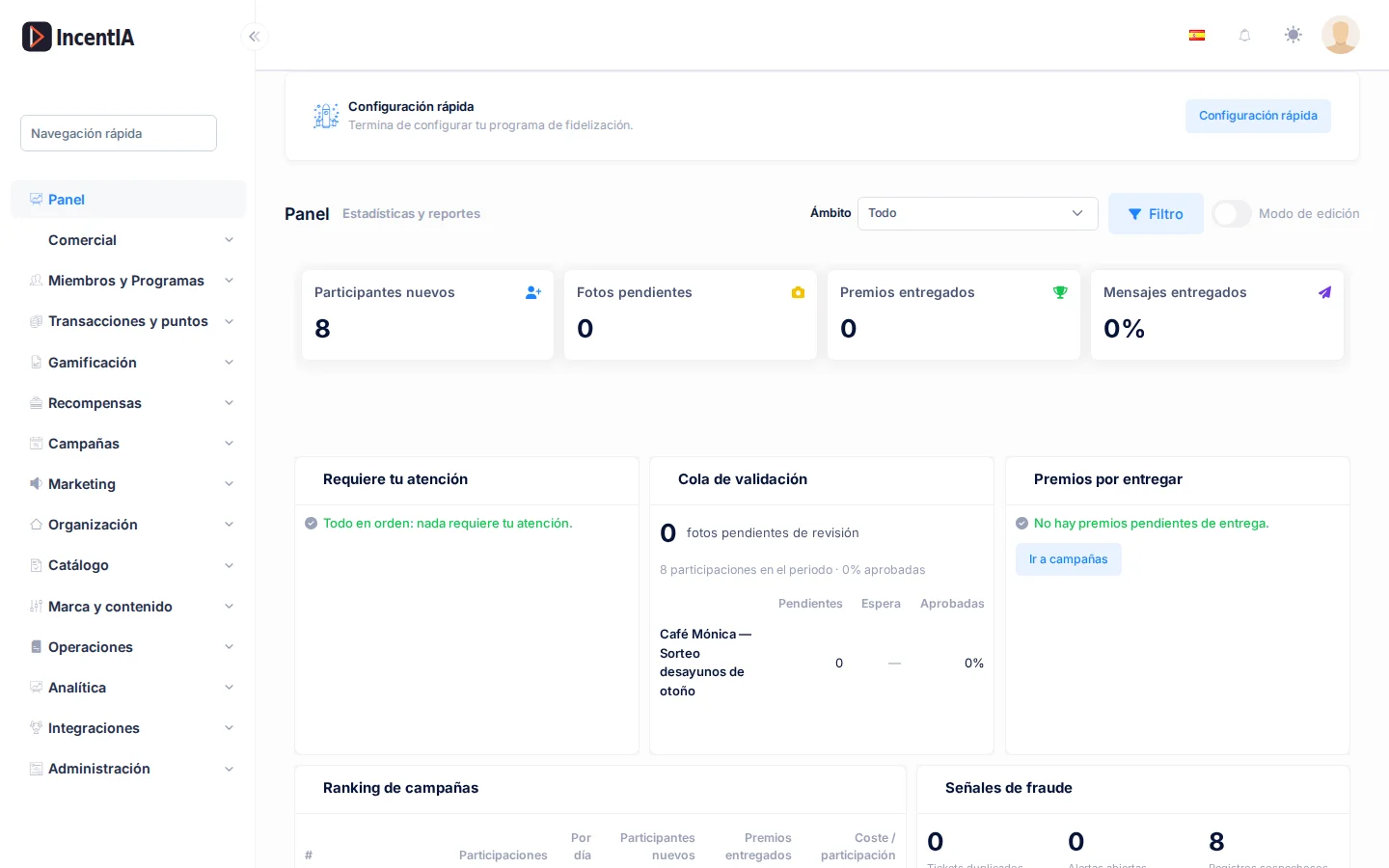
Global filters: scope and date range
At the top there are two filters that apply to all widgets at once.
Date range
Click the calendar button next to the date field and choose the period. By default the dashboard shows the last 7 days. Widgets with a comparison show the change vs previous period (the period immediately before, of the same length).
Scope
The Scope selector limits the dashboard to one part of your business:
| Option | What it shows |
|---|---|
| All | All the campaigns and programmes in your account. This is the default. |
| Campaigns → a campaign | Only that campaign's figures. It appears with its status (Draft, Scheduled, Active, Paused, Finished). |
| Loyalty programme → a programme | Only that programme's figures. |
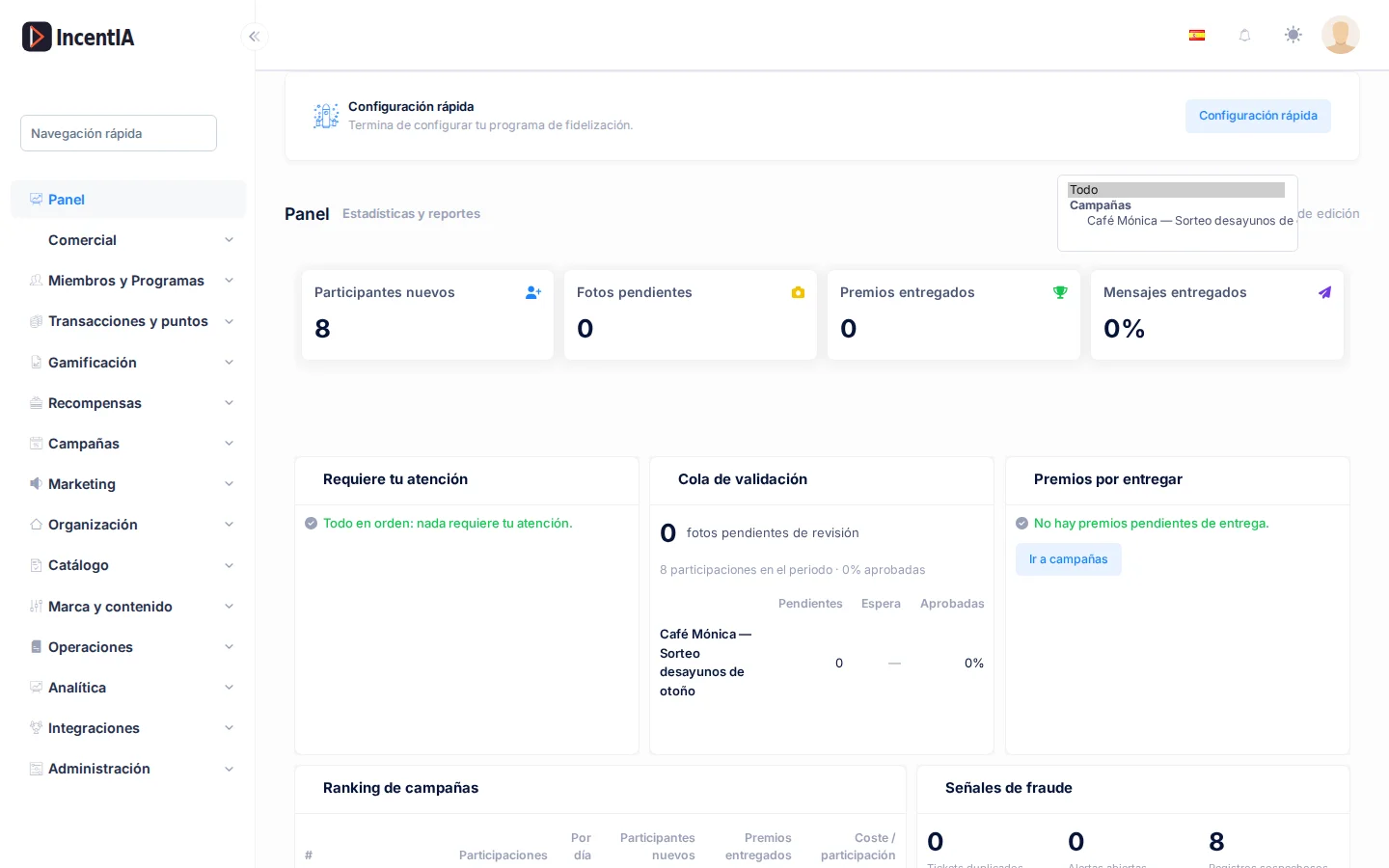
Bear in mind:
- You can only choose one campaign or one programme, not both at once.
- When you choose a campaign, the Since campaign start button appears: click it to make the range start on the day the campaign started.
- Some widgets make no sense in certain scopes and show Does not apply to this scope. For example, the figures for participants, photos and prizes and the funnel do not apply to a loyalty programme, and the Loyalty program widget does not apply to a specific campaign.
The widgets
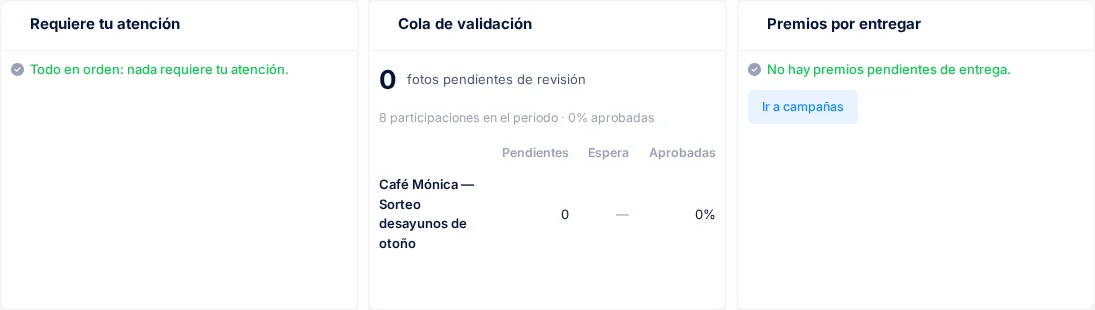
Needs your attention
A list of what is worth resolving now. Each row is a link that takes you to the screen where it is fixed:
- photos waiting for review;
- campaigns ending in 7 days or fewer;
- unclaimed winning moments;
- open fraud alerts;
- WhatsApp channels that are paused or have health problems, and rejected WhatsApp templates.
If nothing is pending you will see All clear: nothing needs your attention.
Key figures and Active campaigns
New participants, pending photos, prizes delivered and messages delivered, each with its comparison. Below, Active campaigns details for each campaign the participants, participations, approved / pending / rejected photos, prizes claimed, unclaimed winning moments and end date. If you do not have any active campaigns yet, the Create campaign button takes you to the wizard.
Participation funnel
Shows how many people move from Landing visits to Registrations, Participations and Prizes, and highlights the Biggest drop so you know where most people are lost.
Daily activity
A chart by day with new participants (bars) and participations (line). The last day is marked as today (partial) because it has not finished yet.
Validation queue
Receipt photos waiting for review, with the age of the oldest one and, per campaign, Pending, Waiting and Approved (percentage). Click a campaign or Open photo review to go to evidence review (see Evidence).
Prizes to deliver
Everything you have promised that has not yet reached the person: winners who have not claimed, raffle winners pending, prizes reserved while waiting for the photo to be approved, prizes and coupons pending delivery, reward redemptions pending and winning moments about to be lost. It shows the oldest item and the deadline when there is one.
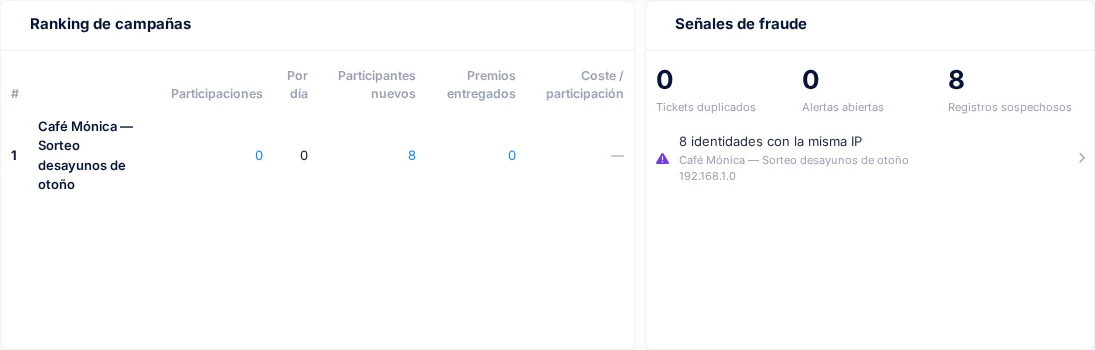
Campaign ranking
Ranks your campaigns by activity in the period and shows the activity Per day and the Cost / participation.
Fraud signals
A summary of Duplicate tickets, Open alerts and Suspicious registrations (identities that share an email, phone number or IP). If there are none you will see No fraud signals in this period.
Channels
Active conversations, percentage of messages delivered and participations by channel (Landing, Member portal, WhatsApp, Web chat, Journey, Webhook, Admin, Telegram, SMS). If there is no activity, Connect a channel takes you to the channel settings.
Loyalty program
New members, points issued and redeemed, redemption rate, active members (30 d) and sign-ups by tier.
Recent activity
The latest participations, redemptions and prizes, so you can see at a glance what is happening.
If a widget does not load
If a widget fails it shows Could not load this widget. with a Retry button. Click it to reload just that widget without losing the rest of the dashboard. On mobile the widgets stack in a single column.
Who sees what
The validation queue, ranking and similar widgets depend on your permissions. If you do not see one, ask an administrator of your account to review your role in Permissions.