Canales
Un canal es una vía de salida hacia tus socios y participantes: WhatsApp, Telegram, SMS, email, push, mensajes en la app o chat web. Menú: Marketing › Canales › Canales.
Permiso Canales (crear, editar y eliminar tienen permisos propios) · Edición: todas. Los canales de WhatsApp exigen la función WhatsApp Channel (Growth y Enterprise) y los de chat web, la función de chat web (Enterprise).
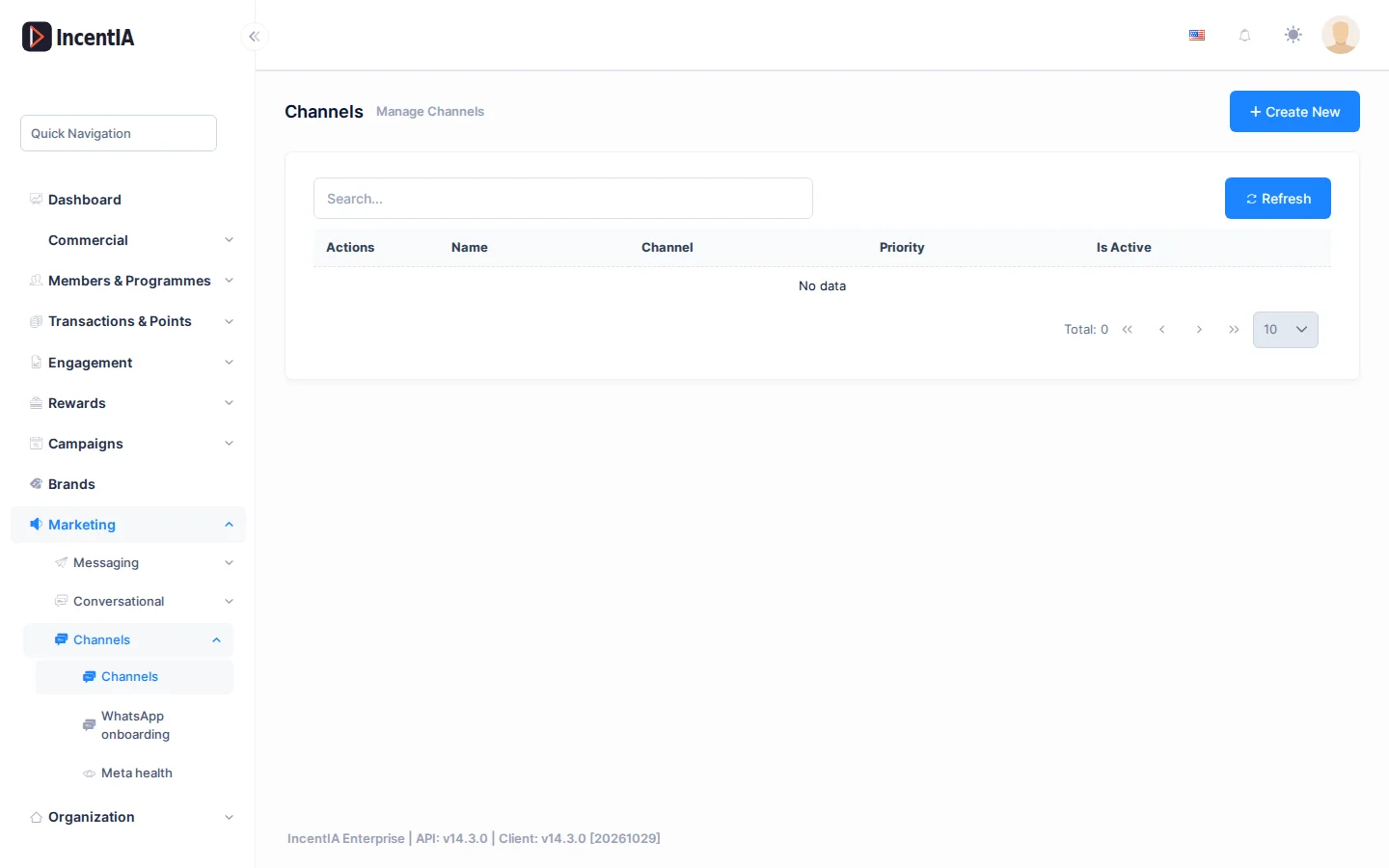
Listado
Busca con Buscar... y pulsa Refrescar para recargar. Pulsa Crear Nuevo para añadir un canal.
| Columna | Qué es | Notas |
|---|---|---|
| Nombre | Nombre interno del canal | Puede llevar la etiqueta Predeterminado o Pausado |
| Canal | Tipo: Email, WhatsApp, Telegram, SMS, Push o InApp | No se puede cambiar después de crearlo |
| Prioridad | Orden entre canales del mismo tipo | |
| Activo | Si el canal está en uso |
En Acciones tienes Editar, Eliminar y QR / Enlace. Establecer como predeterminado (Set as default, sin traducir en la interfaz) marca el canal que se usa cuando ninguna otra regla elige uno; solo aparece en canales activos que aún no lo son.
Crear / editar
Al crear o editar un canal se abre un formulario con estos campos.
| Campo | Qué es | Notas |
|---|---|---|
| Nombre | Nombre del canal | Obligatorio |
| Canal | Tipo de canal | Bloqueado al editar |
| Prioridad | Número de prioridad | |
| Activo | Activa o desactiva el canal | |
| Conexión de WhatsApp | Estado de la conexión y botón Conectar WhatsApp | Solo en WhatsApp; ver WhatsApp |
| Teléfono de WhatsApp Business | Número en formato E.164 para el enlace directo y el QR | Vacío = se usa el número conectado |
| Pausa y fallback a webchat | Pausa el canal; ver más abajo | Solo en WhatsApp |
| Programa de Lealtad | Programa asociado al canal | |
| Flow de fallback | Flujo al que lleva el QR si el canal no está disponible | |
| Flow del hub | Flujo para quien escribe sin coincidir con ninguna palabra clave de campaña | Vacío = hub desactivado |
| Crear flujo de hub | Crea un flujo de hub y lo asigna | |
| Configuración (JSON) | Ajustes libres del proveedor | Para tipos distintos de WhatsApp y Telegram |
Telegram pide Bot Token y Webhook Secret; el token se obtiene creando un bot con @BotFather. Los socios vinculan su cuenta escribiendo /start seguido de su código al bot.
La tarjeta Deep Link / QR (Base URL, Default message) compone el enlace directo del canal. Esos textos aparecen sin traducir.
Pausar un canal de WhatsApp
Pausa un canal cuando quieras dejar de atender por WhatsApp sin esperar a que Meta lo marque.
- Edita el canal y, en Pausa y fallback a webchat, activa Pausar canal (forzar fallback a webchat).
- Opcional: indica la URL de webchat de fallback. Vacía, se usa el webchat por defecto. Acepta
{campaignId},{tenantId}y{token}. - Opcional: escribe la Respuesta automática mientras está pausado. Vacía, se envía «¡Pronto contigo! Ahora mismo no podemos atenderte por aquí.»
- Guarda.

Con el canal pausado:
- Los enlaces y QR del canal llevan al webchat en lugar de a WhatsApp.
- Los mensajes entrantes no ejecutan flujos: se guardan para trazabilidad.
- Quien escriba recibe la respuesta automática una vez cada 12 horas.
Mientras el canal está pausado, nadie avanza en flujos ni envía evidencias por ese número. Reactívalo en cuanto resuelvas la incidencia.
También puedes pausar el destino de WhatsApp de todo tu tenant desde Estado de Meta.
Cómo elige canal la plataforma
Cuando un mensaje no fija canal, la plataforma elige el mejor para cada socio entre los que ha aceptado y tú tienes activos. Recorre un orden según el tipo de mensaje y usa el primero disponible; si el socio tiene un canal preferido dentro de ese orden, gana.
| Tipo de mensaje | Orden |
|---|---|
| Transaccionales (confirmaciones, puntos que caducan, subida de nivel, premios) | SMS → Push → WhatsApp → Email |
| Promociones (campañas, recompensa disponible, invitación a juego) | Push → WhatsApp → Email → Telegram |
| Recordatorio de racha | Push → InApp → WhatsApp |
| Bienvenida | Email → WhatsApp → SMS |
| Resto | Push → Email → SMS → WhatsApp |
El orden no se edita desde la interfaz. Las preferencias de cada socio las gestiona él mismo desde su portal.
Estados y límites
- Un canal inactivo no recibe envíos.
- Los mensajes de marketing solo llegan a socios que los han aceptado.
- Push requiere HTTPS y que el socio se haya suscrito desde su portal.
- Los canales de WhatsApp y de chat web dependen de tu edición; si no la incluye, el guardado falla con un aviso.
Permisos
| Acción | Permiso (texto UI) | id técnico |
|---|---|---|
| Ver canales | Canales | Pages.Communications.Channels |
| Crear | Creando canal | Pages.Communications.Channels.Create |
| Editar y establecer predeterminado | Editando canal | Pages.Communications.Channels.Edit |
| Eliminar | Eliminando canal | Pages.Communications.Channels.Delete |
Relacionado
- Concepto: Comunicaciones
- Guía: Configurar canales y plantillas
- WhatsApp · Plantillas · Mensajes y errores · Chat web