Connect WooCommerce
Make every order in your WooCommerce store earn points for the member who placed it. It takes about 20 minutes and you need administrator access to WordPress.
Before you start
- Permissions: Integrations, Creating integration and Editing integration.
- A points programme with a purchase earning rule.
- Your customers are already members of the programme and use the same billing email or phone in the store. If there is no member, the order is skipped.
1. Create the connector
Go to Integrations › Connectors and click Create New.
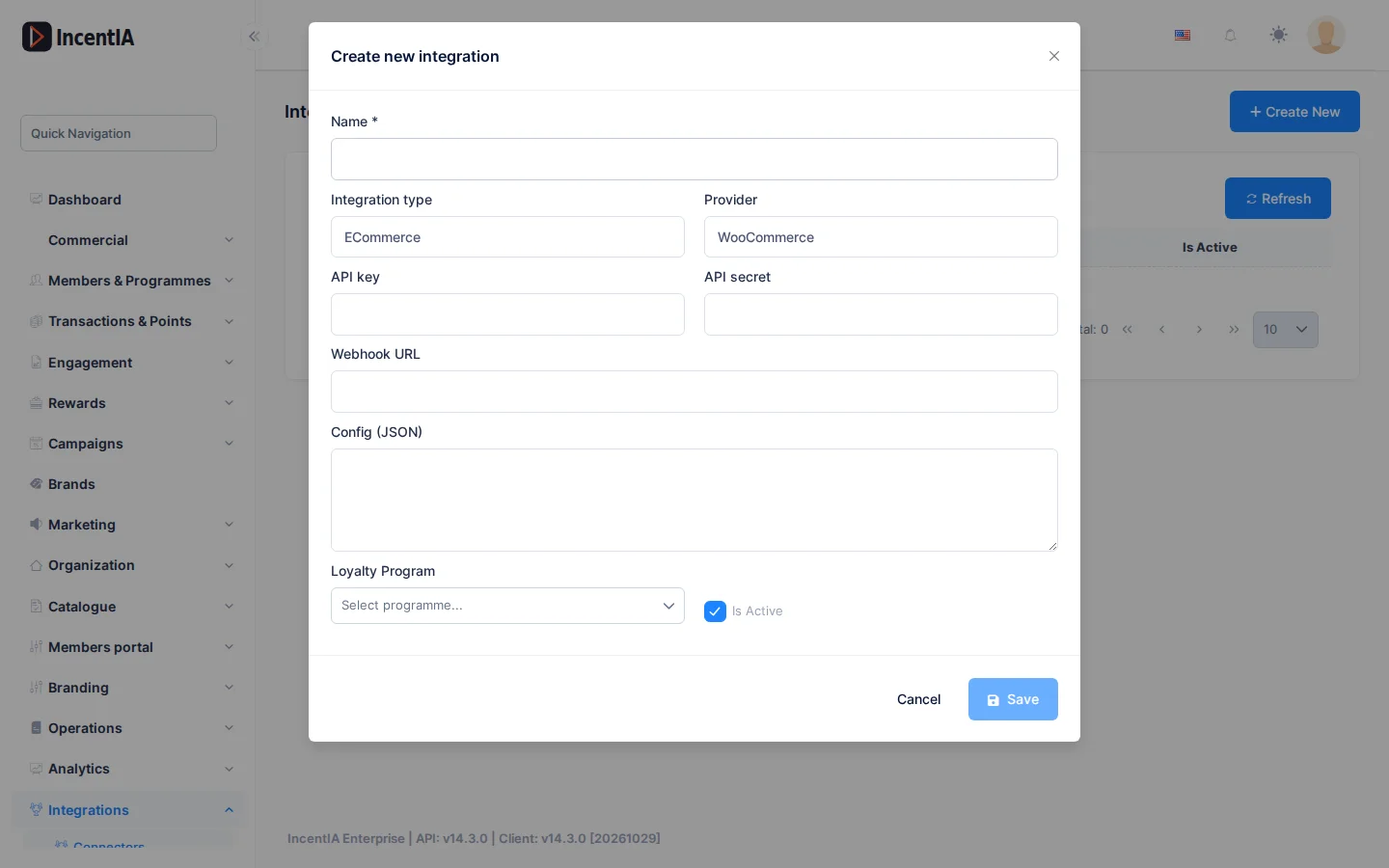
- Enter a Name, for example "WooCommerce store".
- Choose Integration type › ECommerce and Provider › WooCommerce.
- Under API secret, enter a long random string. You will repeat it in WooCommerce.
- Under Loyalty Programme, choose the programme that receives the points.
- Tick Active and click Save.
Programme and secret
Without a Loyalty Programme, orders are skipped. Without an API secret, IncentIA rejects every notification.
2. Find out the notification address
The screen doesn't show the address WooCommerce must notify. It has this form:
https://<IncentIA address>/api/webhooks/woocommerce/<connector number>
Ask support for your account's address and the number of the connector you have just created.
3. Create the webhook in WooCommerce
In WordPress, go to WooCommerce › Settings › Advanced › Webhooks and click Add webhook.
- Status: Active.
- Topic:
order.updated(Order updated). A webhook withorder.completedalso awards points, but doesn't cover refunds or cancellations. - Delivery URL: the address from step 2.
- Secret: the same text you entered under API secret.
- Save.
With order.updated, IncentIA decides based on the order status:
| Order in WooCommerce | What IncentIA does |
|---|---|
| Completed or processing | Awards the points |
| Cancelled or failed | Deducts the points it gave |
| Full refund | Deducts all the order's points |
| Partial refund | Deducts in proportion to the amount refunded |
| Order deleted | Deducts the points it gave. Needs another webhook with the order.deleted topic |
A repeated notification doesn't duplicate points.
4. Test with an order
- Place a test order with a member's email and mark it as completed.
- Open Administration › Incoming Webhooks and filter Source › WooCommerce. The notification should appear.
- Open the member's record: it has the order's points.
Check that it works
- The notification is listed as processed under Administration › Incoming Webhooks.
- A test refund deducts the member's points.
- Under Integrations › Connectors, the connector is Active.
If something fails
| Symptom | Likely cause | What to do |
|---|---|---|
| WooCommerce marks the delivery as failed | Wrong address or secret, or inactive connector | Check steps 1 and 2; the secret must be identical on both sides |
| The order is skipped | There is no active member with that billing email or phone | Ask your customer to use the same email as in the programme |
| The order is skipped with no points | The connector has no Loyalty Programme | Edit it and choose one |
| A pending-payment order doesn't earn points | Only completed or processing orders earn points | Wait for its status to change |
Next steps
- Connect Shopify, if you have another store.
- Set up a points programme
- Reference: eCommerce connectors · Webhooks