Review fraud alerts
Detect abuse when earning points, starting with alerts and blocking only when you trust the rules. It takes about 15 minutes plus a weekly review.
Before you start
- Permissions: Fraud Rules and Alerts · Fraud rules: Growth or Enterprise edition.
- You have a programme with members earning points.
1. Create a rule in alert mode
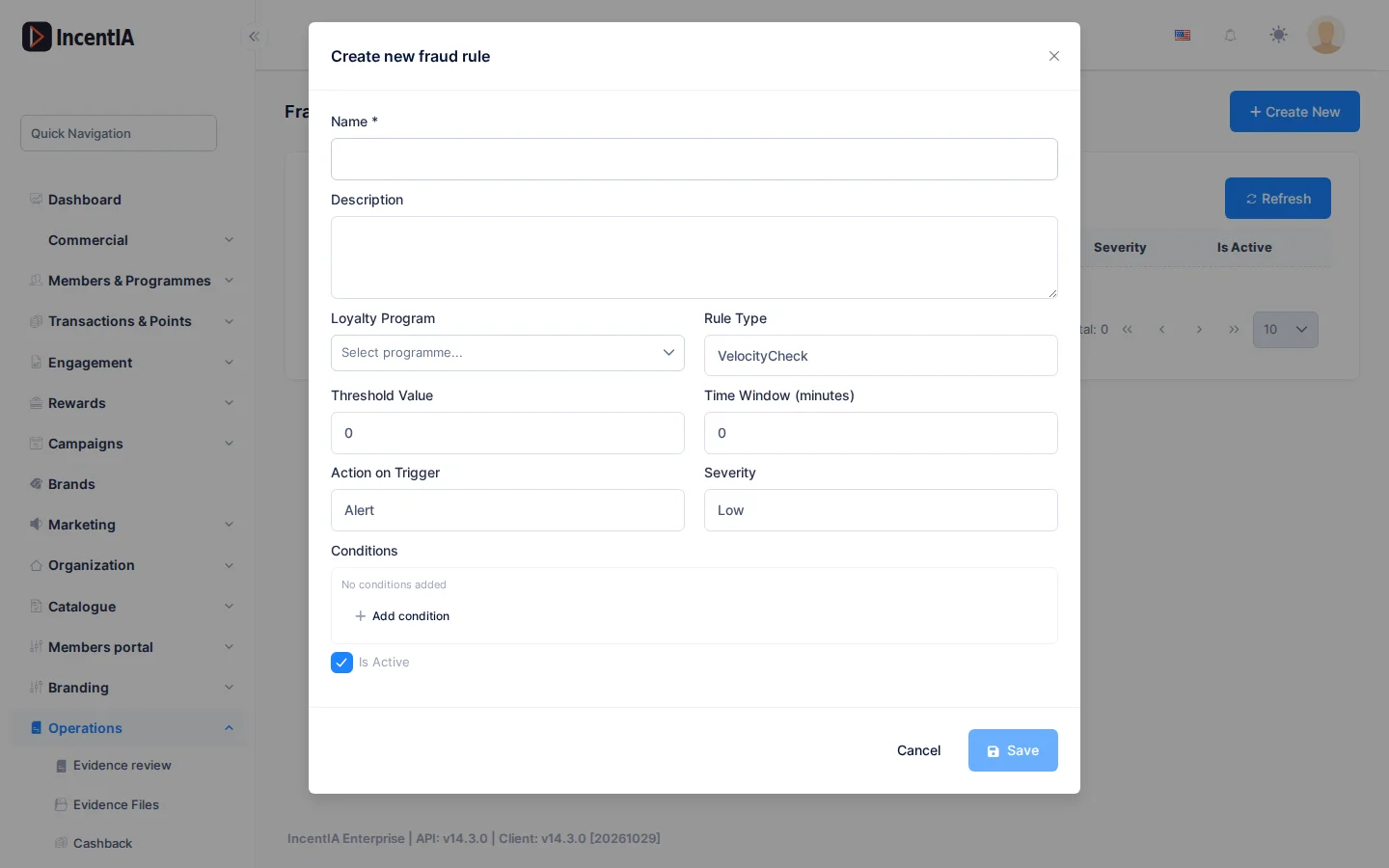
Go to Operations › Fraud Rules and click Create New.
- Enter the Name, for example
Too many purchases in a row. - Choose the Loyalty Programme.
- Choose the Rule Type and fill in Threshold Value and Time Window (minutes).
- Set Action on Trigger to Alert and Severity to Low.
- Tick Active and click Save.
Three types work today:
| Type | Use it for… |
|---|---|
| VelocityCheck | More operations than normal in a window. E.g. threshold 5, window 60 |
| AnomalousAccrual | A disproportionate points accrual |
| DuplicateEvidence | Several accruals with the same amount in a window |
warning
The SameIpMultipleAccounts, PosVerification, GeoAnomalous and Custom types appear in the list but protect nothing today.
2. Review the alerts
Go to Operations › Alerts. The screen (Operational Alerts) is calculated when you open it, using the last 30 days.
- Look at the counters: Total Alerts, Fraud Alerts, Expiring Points and Anomalies.
- In Fraud Alerts and Anomaly Warnings, review Member, Severity and Description.
- If a case looks real, check the member's history or the related evidence.
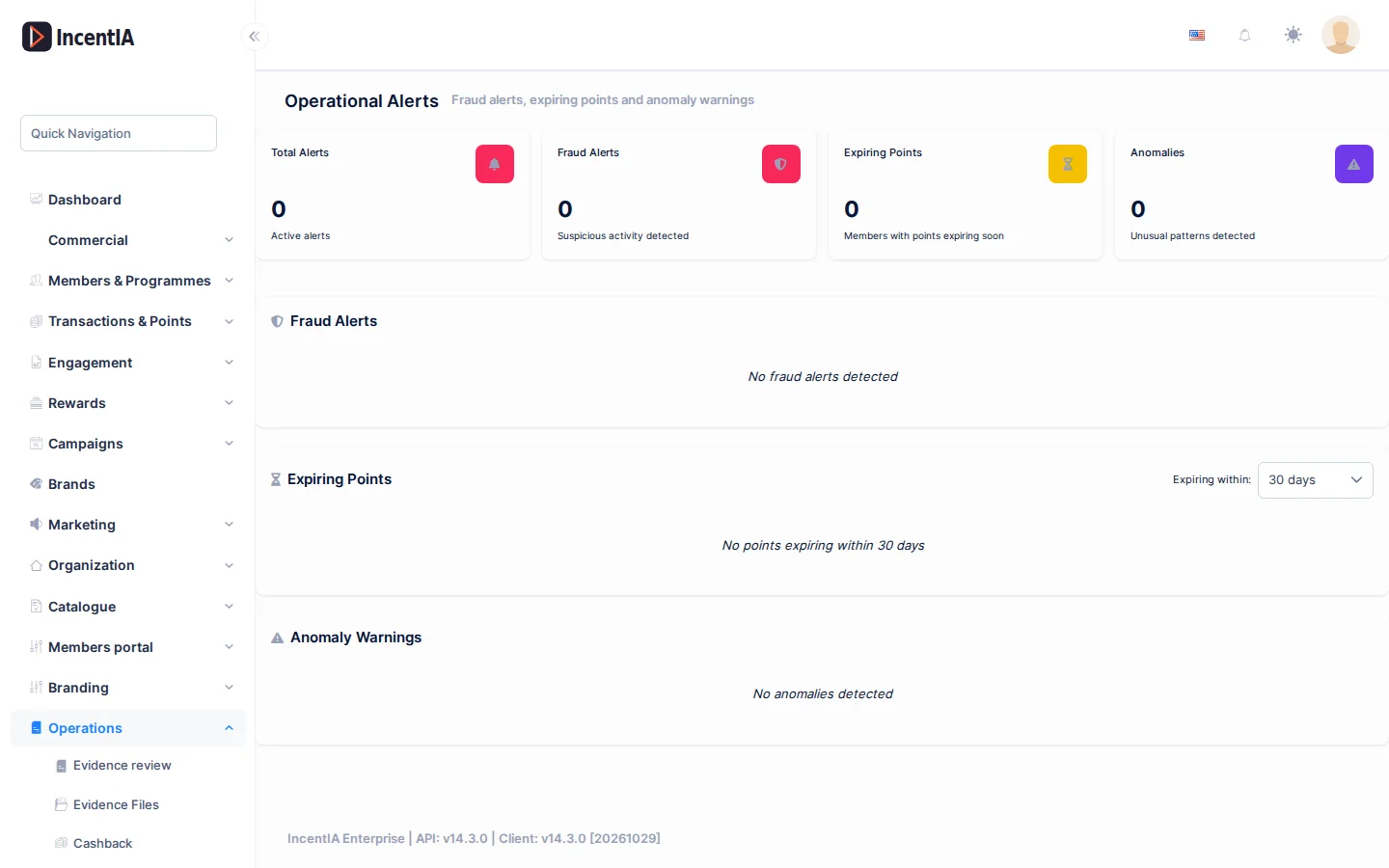
The screen is read-only: there is no button to mark an alert as reviewed.
3. Adjust and tighten
After a few days, raise or lower the Threshold Value until the alerts are reliable. Then edit the rule and change the Action on Trigger:
| Action | Effect |
|---|---|
| BlockTransaction | Rejects the operation and the member sees an error |
| SuspendMember | Rejects the operation and suspends the member |
Check that it works
- The rule appears with Active in green under Fraud Rules.
- A test operation that exceeds the threshold creates a row in Fraud Alerts.
Next steps
- Fraud and alerts: all actions and types.
- Review evidence
- The dashboard: the Fraud signals widget.