Members
Here you see the members of your programmes, add them by hand or in bulk, and review their activity. Menu: Members & Programmes › Members.
Members permission · All editions. The maximum number of members depends on your edition (see States and limits).
For the concept, read Members and participants.
List
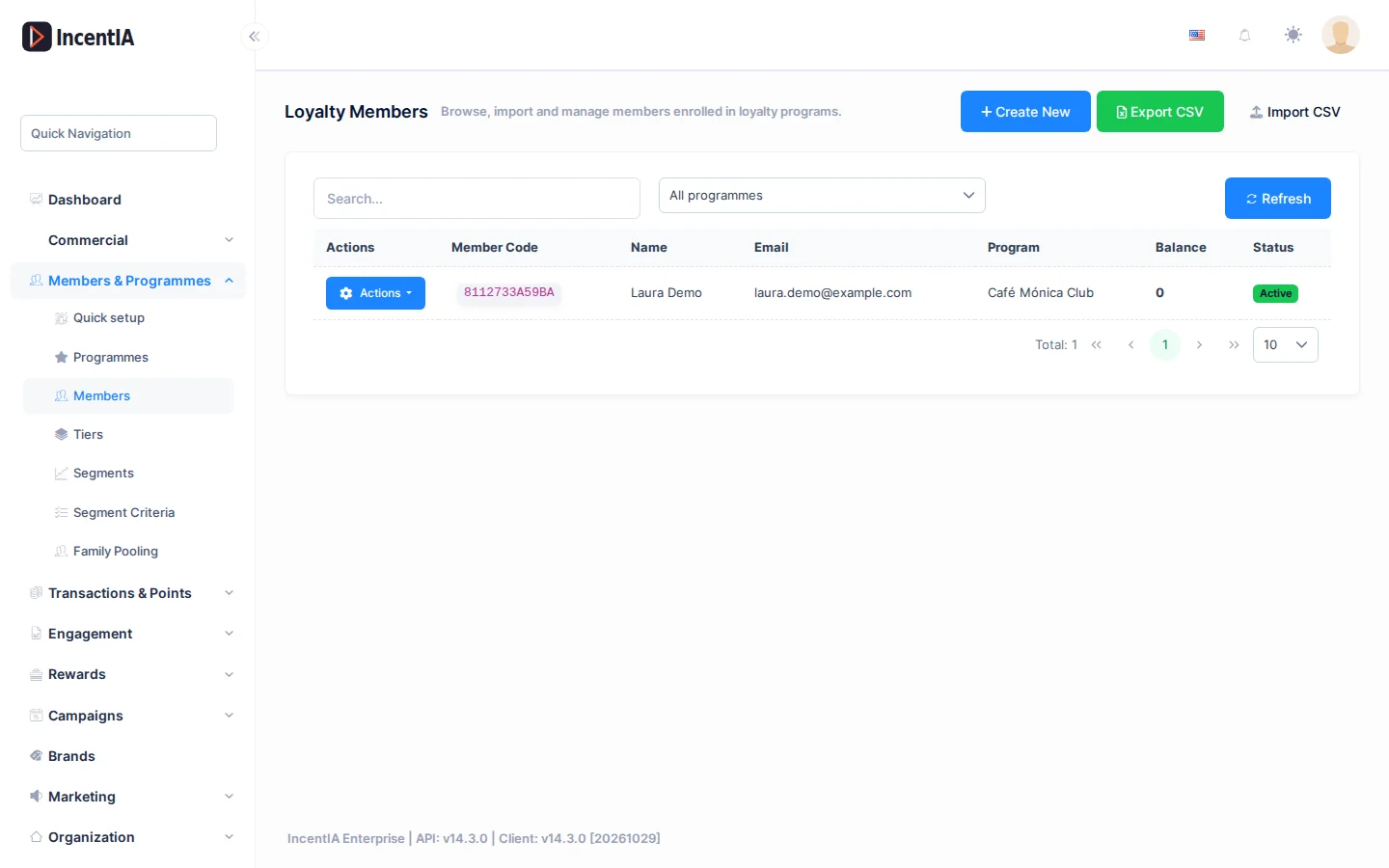
| Column | What it is |
|---|---|
| Member Code | The member's unique code in your account. |
| Name | First name and surname. |
| The member's email. | |
| Programme | Programme the member belongs to. |
| Balance | Available points. |
| Status | Active, Suspended or Blocked. |
To filter, type in Search..., choose a programme (by default All programmes) and click Refresh.
The Actions menu on each row offers:
| Action | What it does |
|---|---|
| Timeline | Opens the member's history (see Member history). |
| Edit | Opens the form. |
| Delete | Deletes the member after confirmation. |
If you sign in as a host administrator (without an account), Create New is disabled: the screen says "Switch to a tenant to manage members." Sign in to the client's account to create members.
Create / edit
Click Create New.
| Field | What it is | Notes |
|---|---|---|
| First Name / Surname | The member's name. | Required. |
| Email address. | ||
| Phone | Phone number. | Unique per account: it cannot be repeated. |
| External ID | Identifier in your CRM or another system. | |
| Status | Active, Suspended or Blocked. |
Import CSV
Click Import CSV (only with the import permission). The Import Members from CSV dialog has three steps.
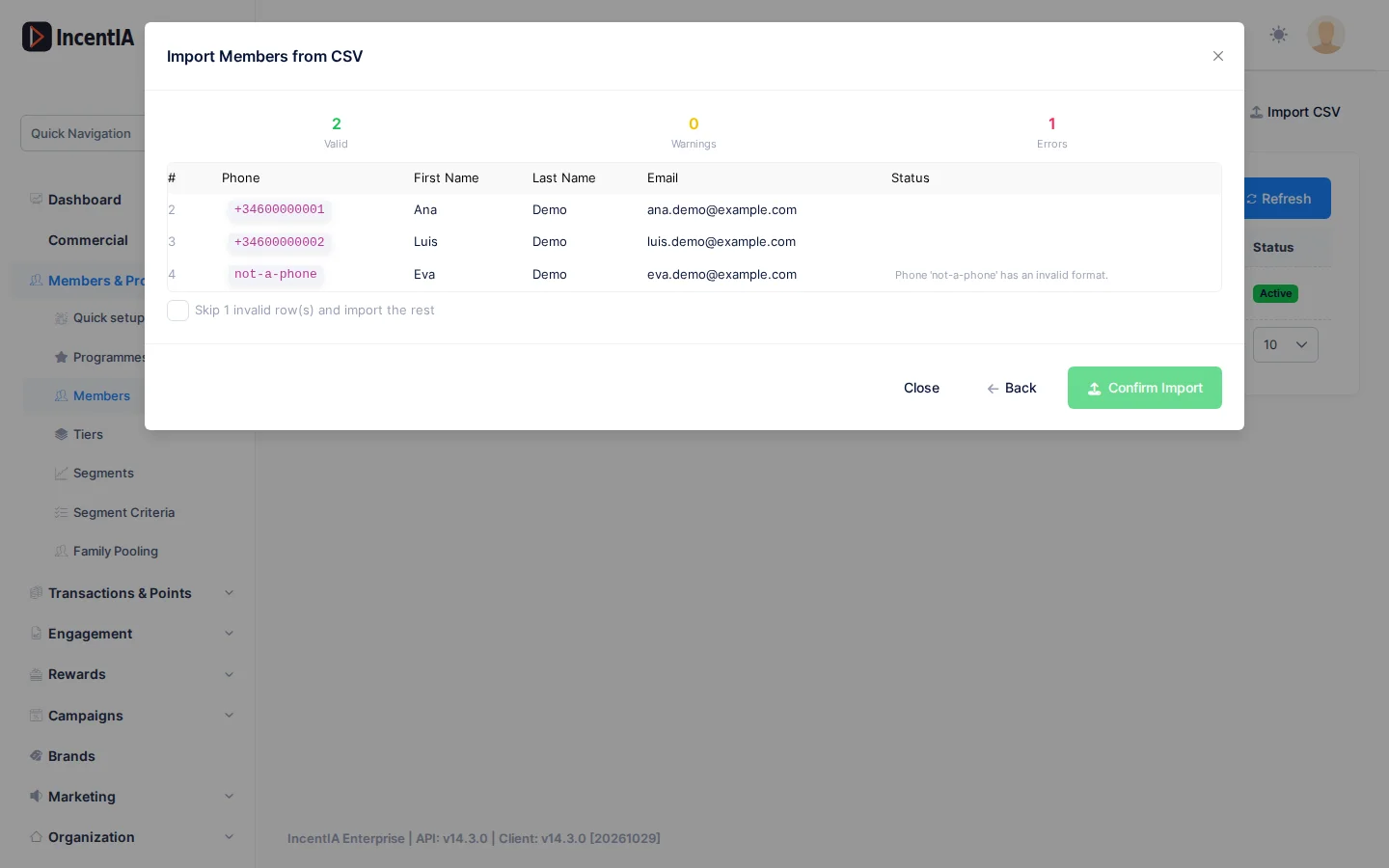
- Choose the Loyalty Programme and the CSV File. Maximum 5 MB and 50,000 rows. Click Download CSV template to get the template.
- Click Preview. You will see the count of Valid, Warnings and Errors, and the first 100 rows.
- Click Confirm Import. When it finishes you will see Inserted, Skipped and Row Errors.
File columns:
| Column | Required | Notes |
|---|---|---|
Phone | Yes | Between 6 and 20 characters: digits, +, spaces, hyphens, dots or parentheses. |
FirstName, LastName, Email | No | An invalid email produces a warning and is left empty. |
MemberCode | No | Must be unique. |
BirthDate | No | An invalid date produces a warning and is ignored. |
MarketingOptIn | No | true, yes or 1 mark marketing consent. |
A row with an error is a row without Phone, with an invalid phone, or with a phone or code that already exists (in your account or repeated in the same file). If there are errors, tick Skip N invalid row(s) and import the rest or fix the file.
Each preview can be confirmed once. If you leave or the session expires, upload the file again.
Step-by-step guide: Import and invite members.
Export CSV
Export CSV downloads members.csv (up to 50,000 rows) with code, name, email, phone, programme, balance, status and sign-up date.
Member history
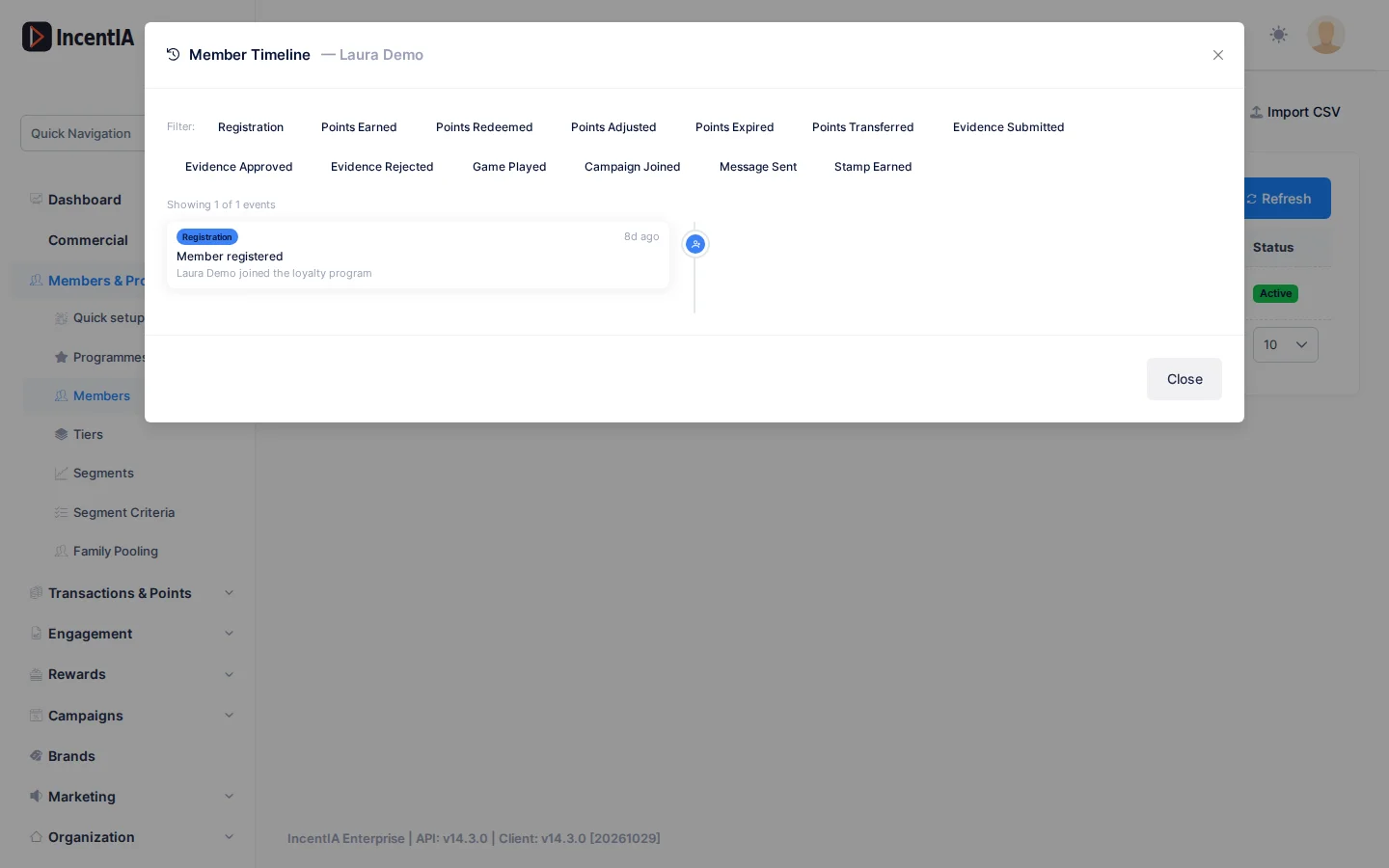
Actions › Timeline opens Member Timeline: a timeline of the member's actions (sign-up, points earned, redeemed, adjusted, expired or transferred, evidence, games, campaigns, messages and stamps). Click the filter buttons to see only some types and Clear to remove them.
Statuses and limits
- A
SuspendedorBlockedmember cannot operate with their points. - Each edition limits the number of members. When you exceed it, IncentIA shows "Your current plan allows a maximum of N members":
| Edition | Members |
|---|---|
| Free | 200 |
| Starter | 2,000 |
| Pro | 5,000 |
| Growth | 10,000 |
| Enterprise | Unlimited |
GDPR rights
This screen has no buttons to export or delete a member's data. Those actions require their own permissions, shown in the table below, and are launched from the API or, for campaign participants, from Participants in the campaign detail page.
Permissions
| Action | Permission (UI text) | Technical id |
|---|---|---|
| View the screen | Members | Pages.Loyalty.Members |
| Create | Creating Loyalty Member | Pages.Loyalty.Members.Create |
| Edit | Editing Loyalty Member | Pages.Loyalty.Members.Edit |
| Delete | Deleting Loyalty Member | Pages.Loyalty.Members.Delete |
| Import CSV | Importing Member | Pages.Loyalty.Members.Import |
| GDPR export | Member GDPR Export | Pages.Members.GdprExport |
| GDPR erasure | Member GDPR Erase | Pages.Members.GdprErase |
| GDPR consent | Member GDPR Consent | Pages.Loyalty.Members.Gdpr |