Deliver prizes to winners
Prepare a campaign's shipments and record when each prize is sent and delivered. It takes about 10 minutes.
Before you start
- Permissions: Managing Winner Fulfillment to update and Exporting Campaign Winners to download · Edition: Starter or higher.
- The campaign has winners. If it asked for a receipt, validate the evidence first.
1. Download the pending ones
Go to Campaigns › All campaigns, open the campaign's Actions menu and click Export only pending shipments. You get only the winners whose prize hasn't been sent yet.
Without the Exporting participant personal data (email, phone, sensitive fields) permission, contact details come out masked. Ask an administrator for it if you need it for shipping.
2. Open the participants
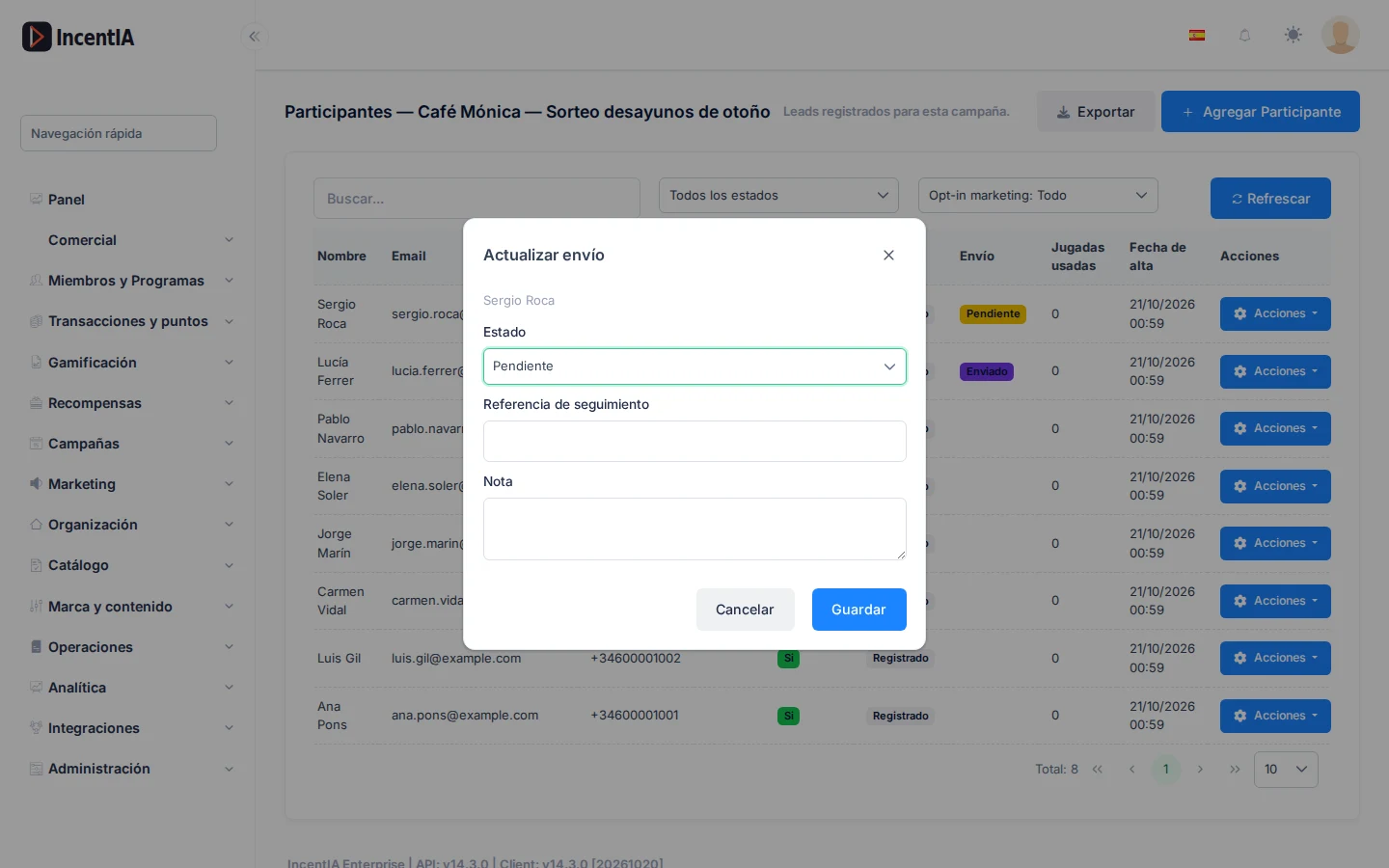
Go into the campaign and open the Participants tab. The Shipping column shows each winner's status: Pending, Sent, Delivered, Returned or Cancelled.
3. Update the shipping
- On the winner's row, click Update shipping.
- Choose the Status.
- Enter the Tracking reference, for example the courier's number, and a Note if you want.
- Click Save.
warning
A delivered or cancelled prize can't go back to Pending. Check the status before saving.
Check that it works
- The row's Shipping column shows the new status. Hover over the label to see the tracking reference.
- Export only pending shipments no longer includes that winner.
Next steps
- Export a campaign's data: all formats.
- Campaign page
- Run a raffle and publish the record
- Redemptions: for catalogue rewards.