Export a campaign's data
Download everything that has happened in a campaign as Excel (XLSX) or CSV: every participation and every unique participant. Files are generated as a stream, so they work the same with thousands of rows.
Exporting Campaign Winners permission. Without it, the Export menu does not appear. Personal data in clear (email, phone, date of birth and sensitive custom fields) also requires Exporting participant personal data (email, phone, sensitive fields); without it you will see those cells masked or as [redacted]. The Admin role has them by default; for custom roles you must grant them.
What you can export
| Export | Content |
|---|---|
| Participations | One row per participation attempt, including rejected ones: date, channel, status, outcome, reason, participant, evidence (status and link), receipt data, store, PIN code and booklet, prize and delivery status. |
| Participants | One row per unique participant (merged duplicates are grouped under the main one): registration data, consents, participation and photo counters, prizes won. |
The fields you asked for at registration (including language, if you capture it as a custom field) appear as columns.
From the campaign
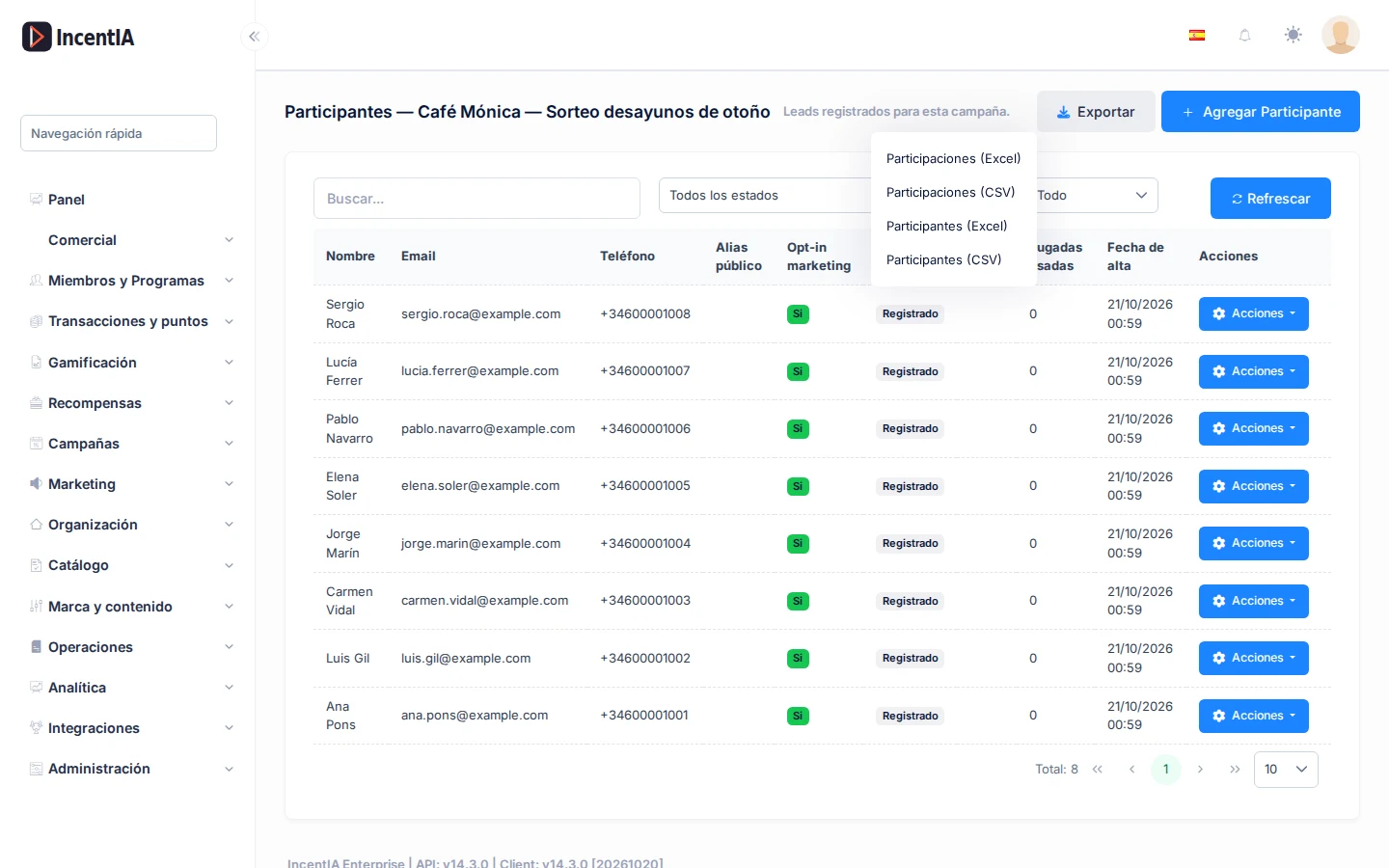
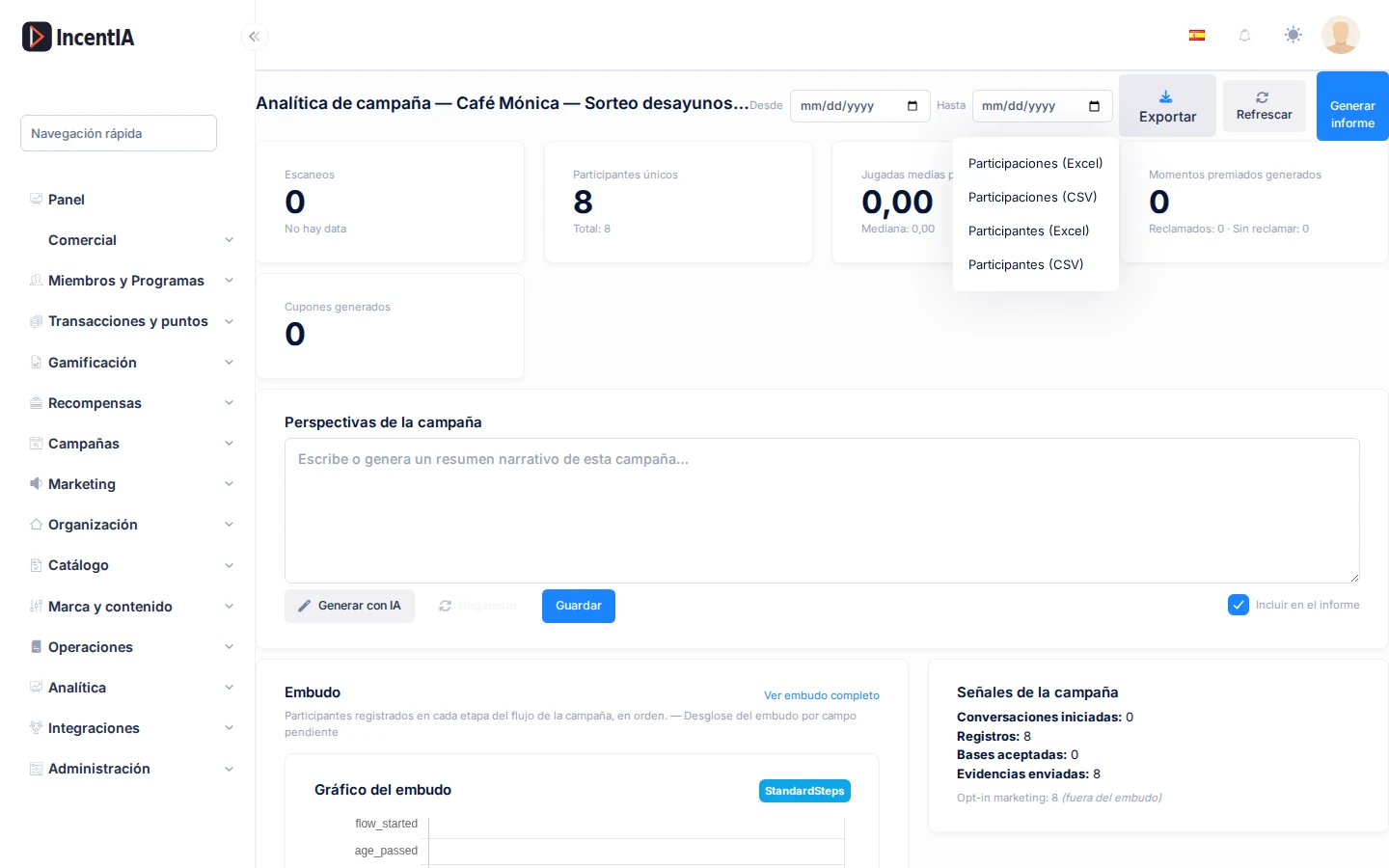
- Open the campaign and go to the Participants or Analytics tab.
- Click Export.
- Choose an option:
- Participations (Excel) / Participations (CSV)
- Participants (Excel) / Participants (CSV)
- The button shows Exporting… and, when finished, the browser downloads the file.
From the campaign list
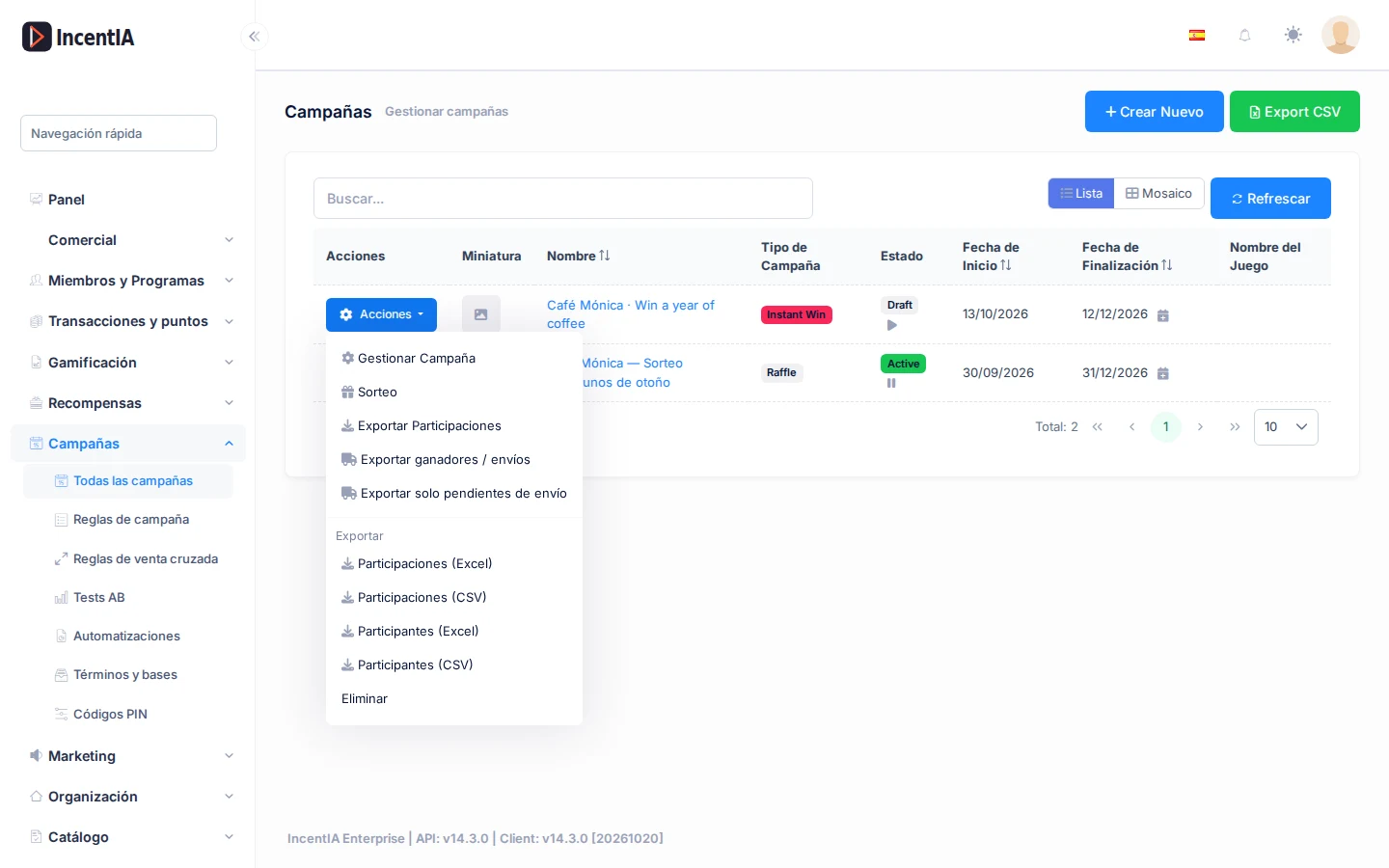
In Campaigns, open the row's Actions menu. With the export permission you will see:
- Export Participations
- Export winners / shipping
- Export only pending shipments
- Under the Export heading: participations and participants in Excel and CSV.
Format and good practice
- Excel (XLSX) is the default format. CSV uses UTF-8 with BOM; if the tenant's language is Spanish, Italian or Portuguese the separator is
;and decimals use a comma, so that Excel opens it directly. - Headers come out in the tenant's language.
- The "(local)" columns use the tenant's time zone; there are also UTC columns.
- The evidence link points to the back office (you must be signed in), not to the image directly.
- Cells that start with
=,+,-or@are neutralised so they are not executed as formulas. - Each export is recorded in the audit log (user, campaign, number of rows).
- Prize coupons only appear in clear with Managing Winner Fulfillment, and PIN codes with Export pin codes (print shop).
Prize delivery to winners
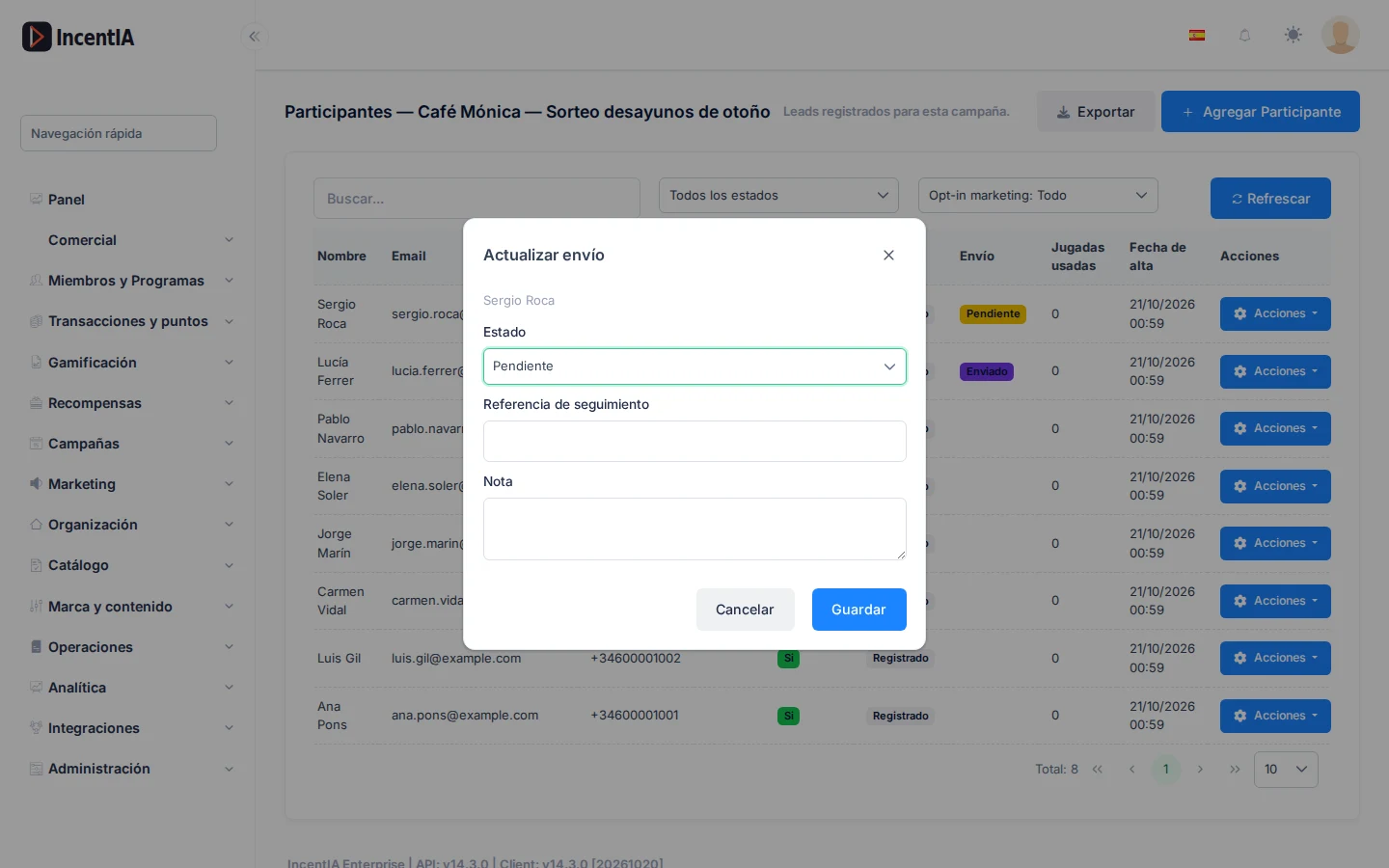
In the Participants tab, the Shipping column shows each winner's status: Pending, Shipped, Delivered, Returned or Cancelled (hovering over the label shows the tracking reference).
To update it:
- On the winner's row click Update shipping (requires Managing Winner Fulfillment).
- Choose the Status, type the Tracking reference and, if you wish, a Note.
- Click Save.
A delivered or cancelled prize cannot go back to Pending.
To prepare shipments, use Export only pending shipments in the list's Actions menu: it downloads only the winners whose prize has not yet been shipped.
Booklets by store
In Analytics, in the by-store section, give an optional date range (leave it empty to export everything) and click Download booklet registrations.
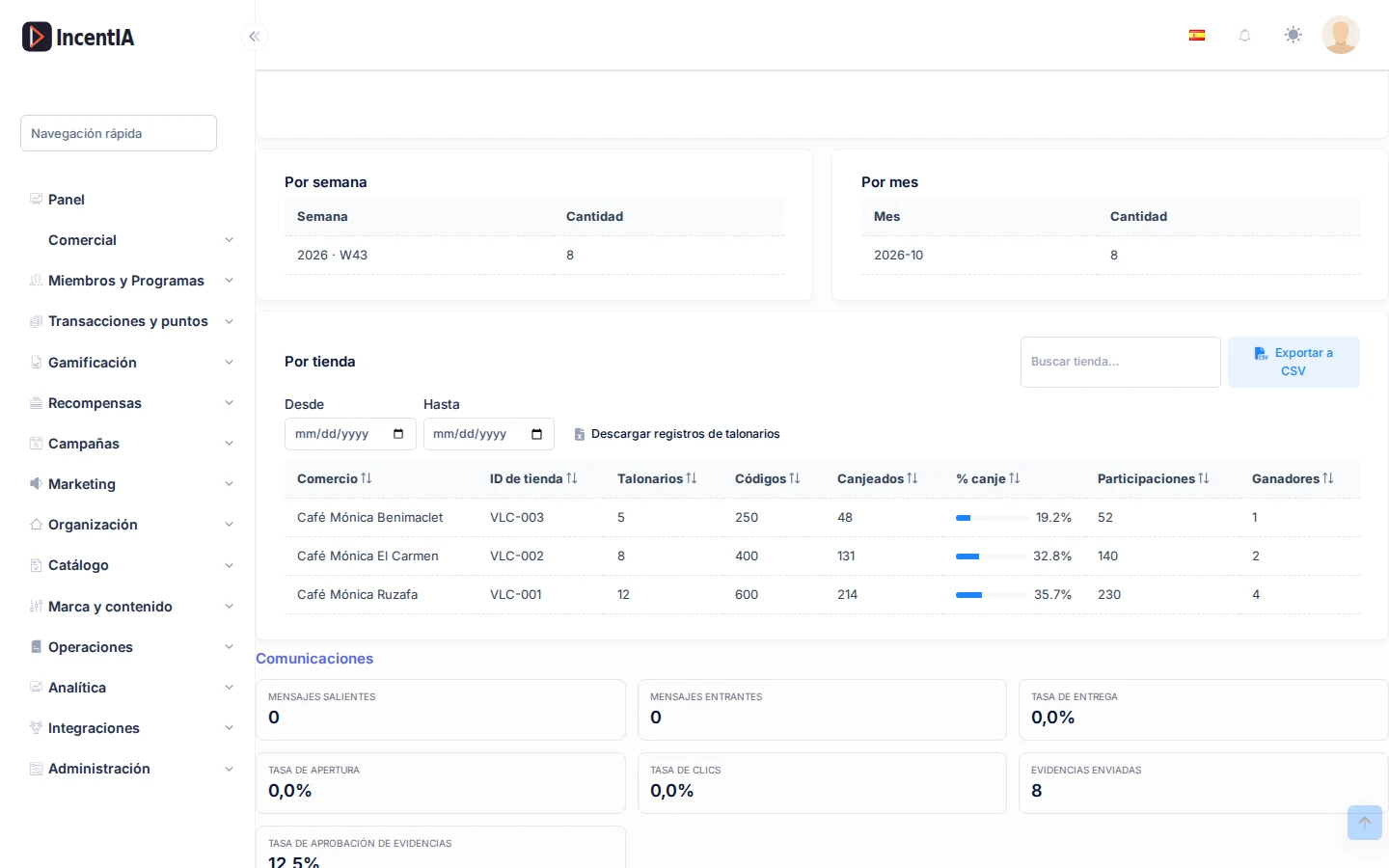
More about booklets in PIN codes.
Client link
If the client needs to download the booklet registrations without logging in to the backoffice, create a link under Client link (below the download button, in Analytics or in Pin Codes with the campaign selected):
- Set an optional Expiry (optional) and click Create link.
- Copy the link with Copy: it is only shown now; afterwards you will only see its first characters.
- Send it to the client. Each download generates the Excel file with the data of that moment. They can add
&from=YYYY-MM-DD&to=YYYY-MM-DDto the link to filter by dates (Madrid time;toincludes the day).
The table shows, for each active link, when it was created, when it expires, its last use and the number of downloads. Revoke deactivates it immediately. A campaign can have at most 5 active links and each link allows 30 downloads per hour. A revoked, expired or incorrect link answers "not found".
Anyone with the link can download the file: treat it like a password and revoke it when it is no longer needed.
Permissions
| Action | Permission (UI text) | Technical id |
|---|---|---|
| Export participations, participants and winners | Exporting Campaign Winners | Pages.Gamification.Campaigns.Winners.Export |
| See personal data in clear | Exporting participant personal data (email, phone, sensitive fields) | Pages.Gamification.Campaigns.Winners.Export.Pii |
| Update shipping and prize coupons in clear | Managing Winner Fulfillment | Pages.Gamification.Campaigns.Winners.Fulfillment |
| Booklet registrations and Client link | Pin Codes | Pages.PinCodes |
| PIN codes in clear | Export pin codes (print shop) | Pages.PinCodes.Export |
Related
- Concept: Campaigns
- Guide: Launch cashback with a receipt
- Campaign detail · PIN codes and booklets