Dynamic links
Create short links of the form https://…/r/<code> that redirect to your URL and count clicks. Menu: Campaigns › Dynamic links.
Loyalty Dynamic Links permission · Enterprise edition ("Short Links" feature). Without the feature, the screen shows This feature is not included in your edition and the Upgrade your subscription button.
What it is for
Each outgoing message can carry a different code that points to the same destination. This way Meta does not concentrate the spam signal on a single URL. You can also see how many clicks each link gets and which campaign they come from.
List
The table shows your account's links, paginated.
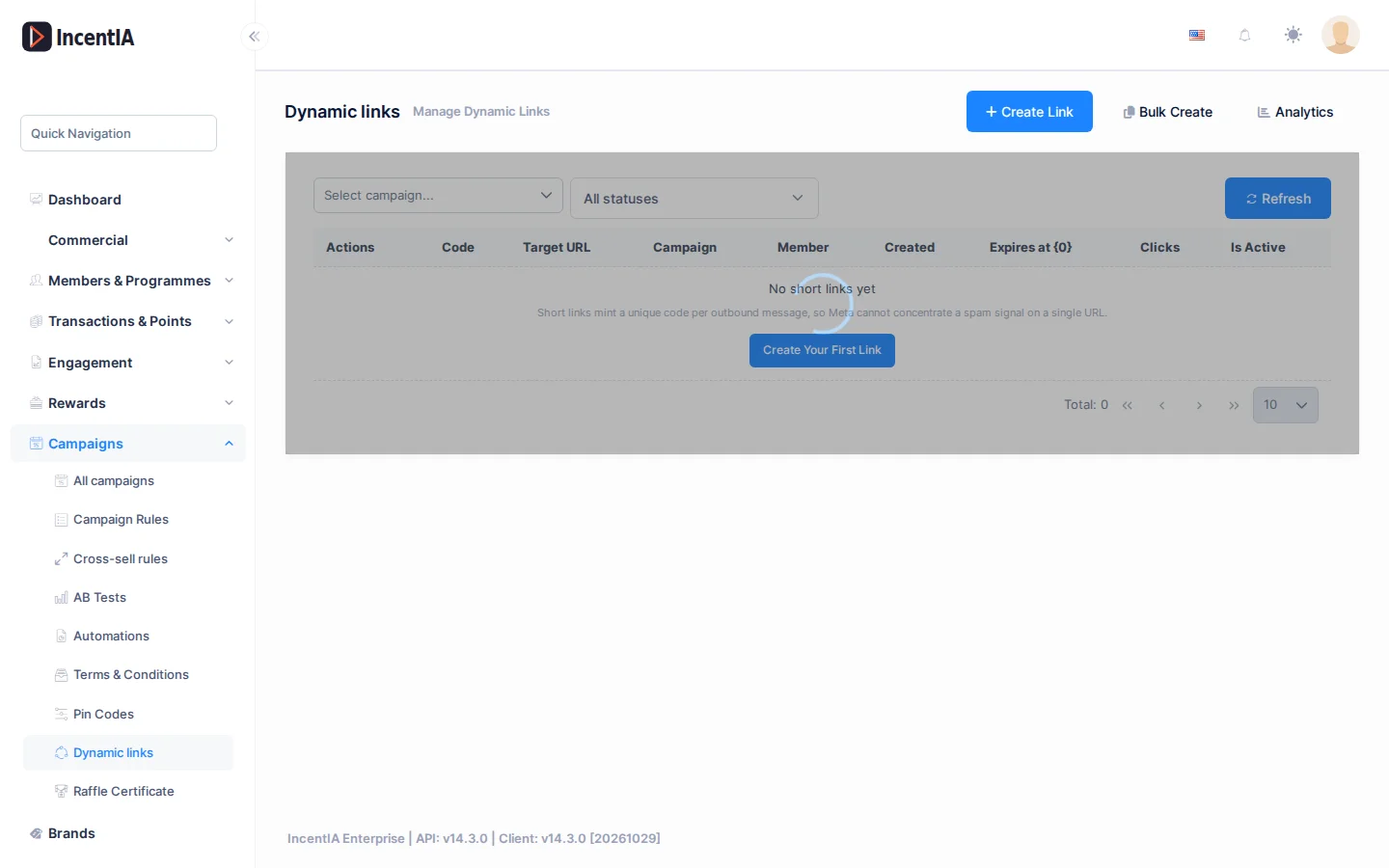
| Field | What it is | Notes |
|---|---|---|
| Code | Final part of the short URL (/r/<code>). | Generated automatically; it cannot be chosen. |
| Target URL | Page it redirects to. | Opens in a new tab. |
| Campaign | Associated campaign, if any. | Empty is shown as -. |
| Member | Member the link was issued to. | Only filled in for per-recipient links. |
| Expires on | Expiry date. | - if it does not expire. |
| Clicks | Number of clicks recorded. | |
| Active | Active or Inactive. |
Filter by campaign or by status (All statuses, Active, Inactive) and click Refresh. On each row you can Copy URL and Disable the link. A disabled link no longer redirects.
Create links
Click Create Link for a single one or Bulk Create for several at once.
| Field | What it is | Notes |
|---|---|---|
| Target URL | Where it redirects. | Required. |
| Campaign | Campaign the clicks are attributed to. | Optional. |
| Expires on | Expiry date and time. | Optional. |
| Prefix | Initial text of the code. | Optional, up to 8 characters. |
| Quantity | How many links to generate. | Bulk creation only, from 1 to 10,000. |
Each creation counts against your edition's monthly quota. If your account has a hard cap and you reach it, creation is rejected.
A different link in each message
In the body of a message template, write {shortlink:https://your-site.com/landing/c/summer}. When sending, IncentIA replaces it with a short link of its own for each recipient. If your account does not have the feature, the URL is sent as it is and the message goes out anyway.
- The same recipient receives the same code for the same destination for 24 hours. Repeated sends do not generate new links.
- Only the text you write in the template is rewritten. A member name containing
{shortlink:…}does not create links. - Links created this way count against the quota just like manual ones.
Analytics
Click Analytics (/app/main/marketing/dynamic-links/analytics) to see Clicks by Campaign and Link.
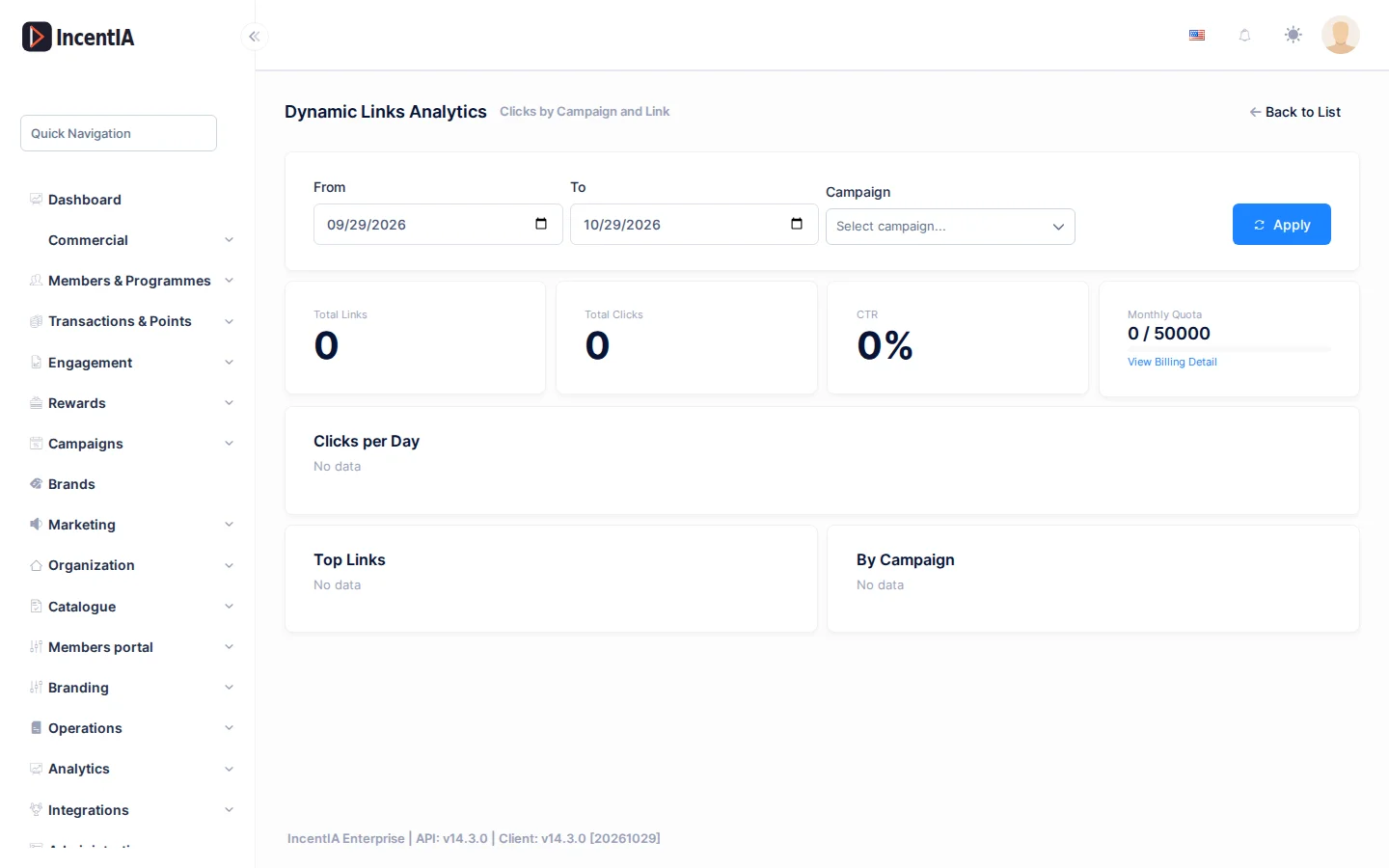
- Filters: From, To and Campaign, with the Apply button.
- Figures: Total Links, Total Clicks, CTR and Monthly Quota.
- Clicks per Day chart and Top Links and By Campaign tables.
- If you exceed the quota, Quota exceeded appears, together with the Overage Billed and the View Billing Detail link.
States and limits
- The short link is public: do not put sensitive data or tokens in the destination.
- An expired, inactive or non-existent link does not redirect.
- The domain of the short URL is set by your account configuration; if you have your own domain, that one is used.
Permissions
| Action | Permission (UI text) | Technical id |
|---|---|---|
| View, create, disable and see analytics | Loyalty Dynamic Links | Pages.Loyalty.DynamicLinks |