Users and roles
This is where you give your team members access and decide what each one can do. Menu: Administration › Users, Administration › Roles and Administration › Organization Units.
Users, Roles and Organisation Units permissions, each for its own screen
To understand how roles, permissions and editions combine, read Roles and permissions.
Users
The screen is titled Users ("Manage users and permissions."). It shows the people who log in to your account's panel, not your programme's members.
At the top you have a search box (Search...) with Show advanced filters, the Only locked users switch and Refresh. The Excel operations menu lets you Export to excel and Import from Excel.
| Column | What it is | Notes |
|---|---|---|
| User name | Login identifier | |
| Name and Surname | The person's details | |
| Roles | Assigned roles | |
| Email address | The person's email | |
| Email confirm | Whether they have confirmed their email | |
| Active | Whether they can log in | |
| Creation time | Date created |
In Actions on each row you find:
| Action | What it does |
|---|---|
| Login as this user | You enter their account to see what they see. It is recorded in the audit log |
| Edit | Change their details and roles |
| Permissions | Grant or remove permissions for that person only |
| Unlock | Releases an account locked after too many failed attempts |
| Dynamic Properties | Extra user fields |
| Delete | Deletes the user |
Create a user
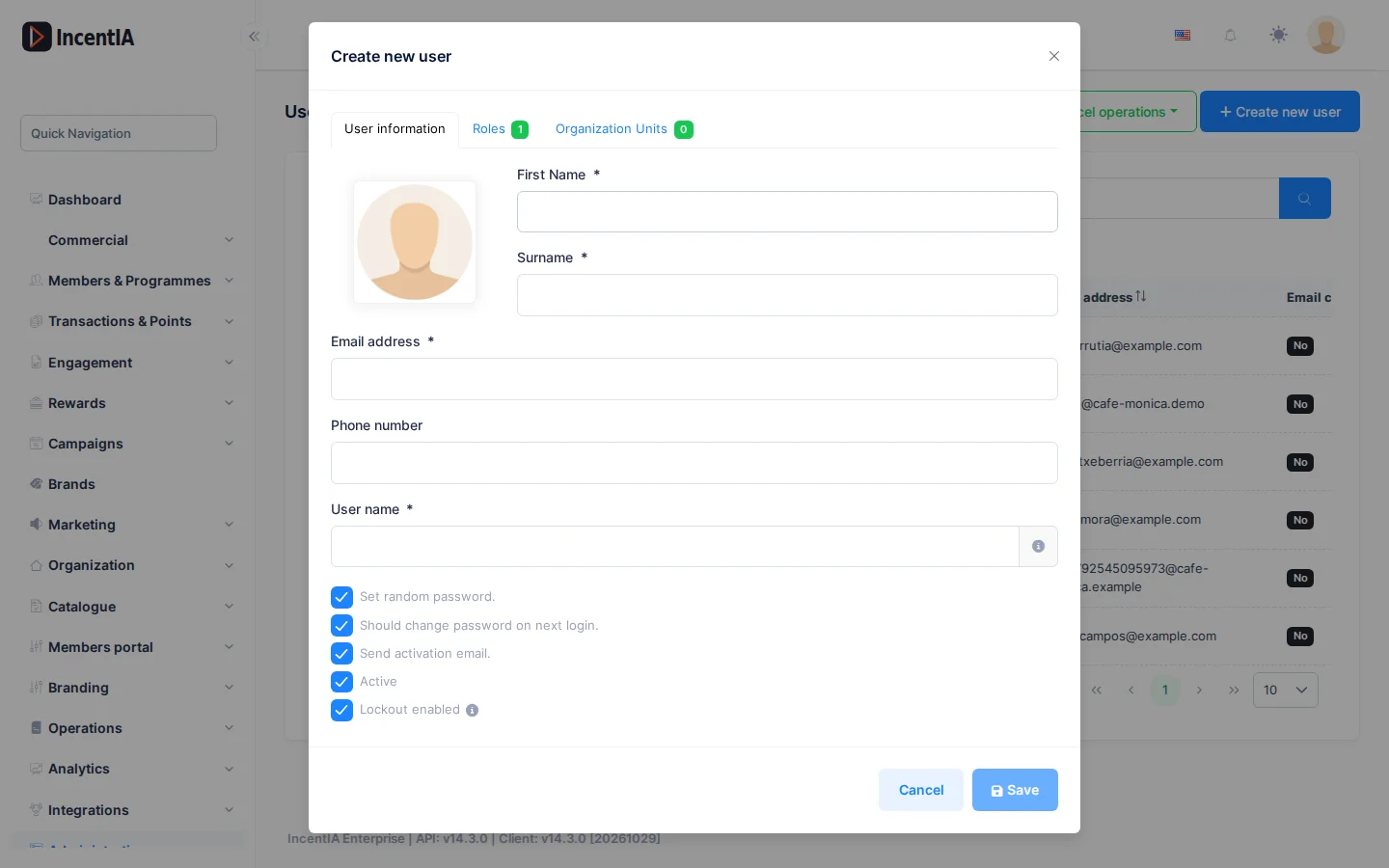
Click Create new user. The form has three tabs: User information, Roles and Organisation Units.
| Field | What it is | Notes |
|---|---|---|
| Name, Surname | The person's details | |
| Email address | Contact email | |
| Phone number | Phone | |
| User name | Login identifier | The administrator's cannot be changed |
| Set random password. | Generates a random password | If you do not tick it, enter Password and repeat it |
| Should change password on next login. | Forces a change on login | Recommended |
| Send activation email. | Sends an email with the activation link | Needs SMTP email configured. See Settings |
| Active | Allows logging in | |
| Two-factor authentication enabled? | Asks for a second factor on login | |
| Locking enabled? | Locks the account after too many failed attempts |
In the Roles tab tick the person's roles; in Organisation Units, the units they belong to. Those that come from an organisation unit appear with the notice "This role is inherited from one of users organisations".
A person's permissions
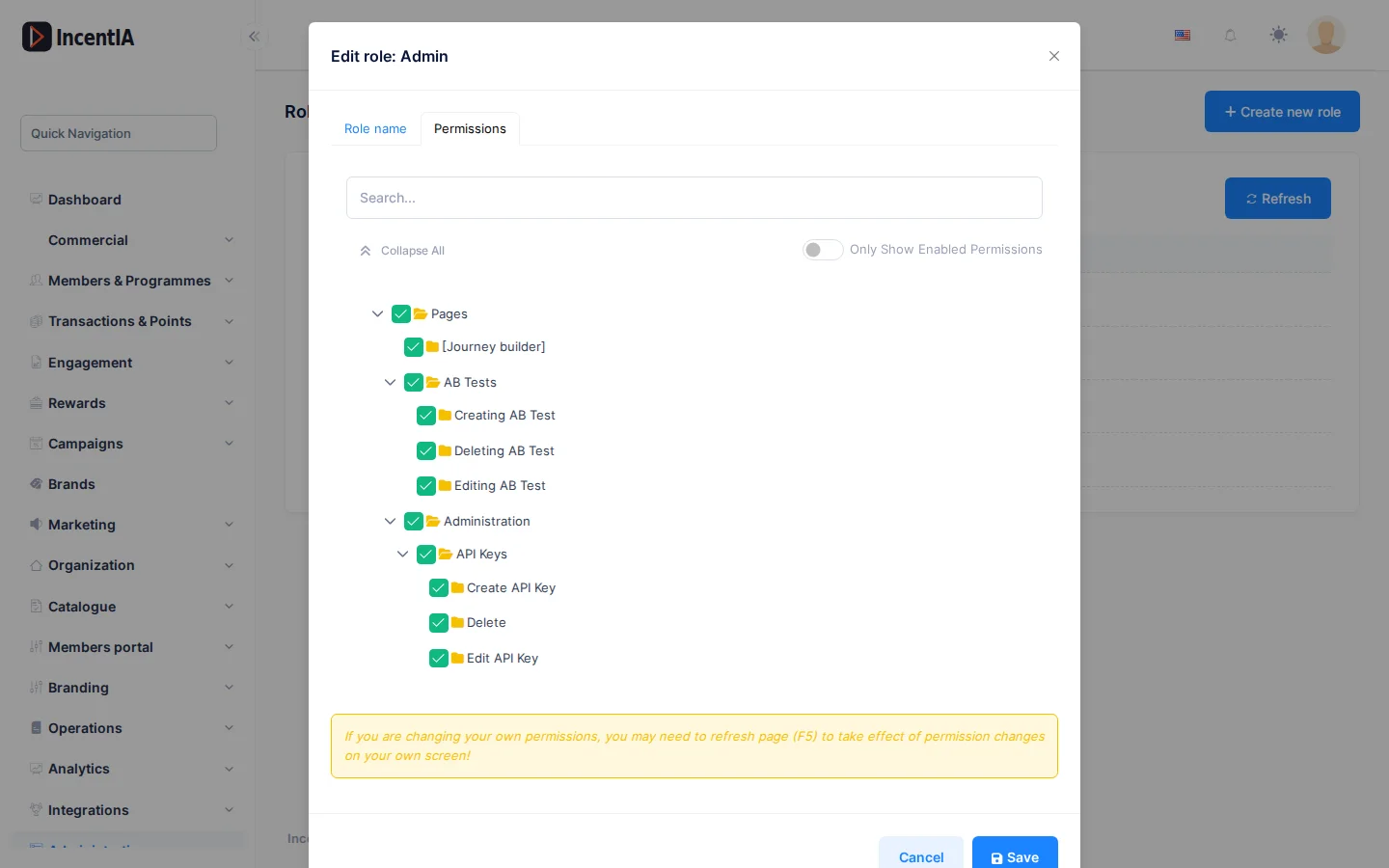
Permissions opens a tree with the individual permissions. Use it for one-off cases. Reset special permissions removes them all and leaves only those from their roles.
If you change your own permissions, reload the page (F5) for them to take effect.
Roles
The screen is titled Roles ("Use roles to group permissions."). Create new role opens the form.
| Column | What it is | Notes |
|---|---|---|
| Role name | Name of the role | May carry the Static label |
| Creation time | Creation date |
A Static role cannot be deleted. A Default role is assigned to new users. With Actions you have Edit, Delete and History (changes to the role).
The form asks for Role name, the Default checkbox and the Permissions tab, with the full tree. Tick a permission to grant it. To give access to an action, also tick the one for its screen.
Organisation units
The screen shows the Organisation tree. Add root unit creates the first unit; each unit can have subunits.
When you choose a unit you see two tabs:
- Members: users in the unit. Add member adds them.
- Roles: roles of the unit. Add role assigns them. All members of the unit inherit those roles.
With no unit created, the screen shows "No organisation unit defined yet."
Permissions
| Action | Permission (UI text) | Technical id |
|---|---|---|
| View users | Users | Pages.Administration.Users |
| Create users | Creating new user | Pages.Administration.Users.Create |
| Edit users | Editing user | Pages.Administration.Users.Edit |
| Delete users | Deleting user | Pages.Administration.Users.Delete |
| Change a person's permissions | Changing permissions | Pages.Administration.Users.ChangePermissions |
| Log in as another user | Login for users | Pages.Administration.Users.Impersonation |
| Unlock an account | Unlock | Pages.Administration.Users.Unlock |
| View roles | Roles | Pages.Administration.Roles |
| Create, edit and delete roles | Creating new role, Editing role, Deleting role | Pages.Administration.Roles.Create, .Edit, .Delete |
| View organisation units | Organisation Units | Pages.Administration.OrganizationUnits |
| Manage the organisation tree | Managing organisation tree | Pages.Administration.OrganizationUnits.ManageOrganizationTree |
| Manage a unit's members and roles | Managing members, Managing roles | Pages.Administration.OrganizationUnits.ManageMembers, .ManageRoles |