Churn prediction
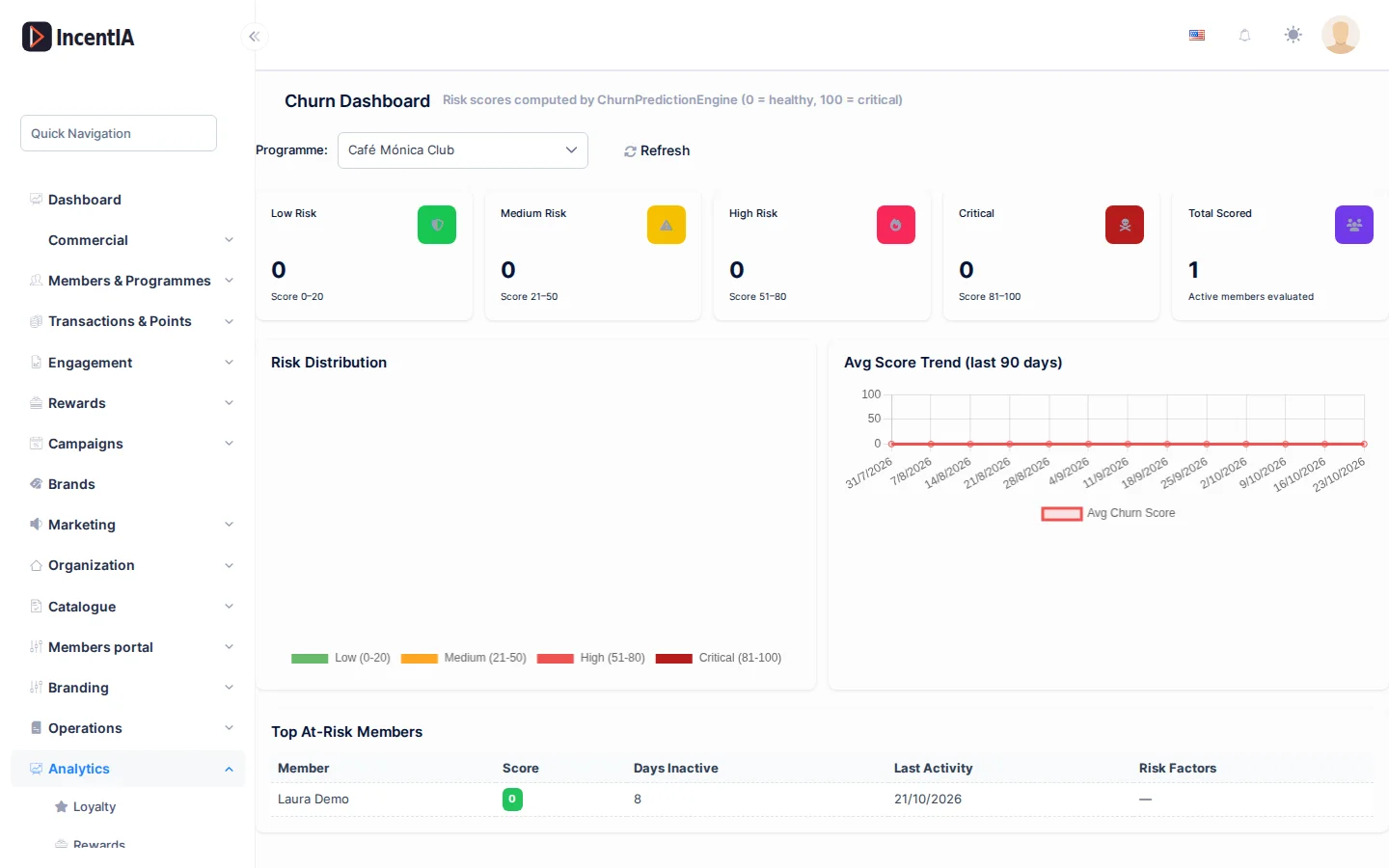
This screen scores from 0 to 100 the risk that each member stops participating in a programme. Menu: Analytics › Churn Prediction.
Churn Prediction permission · Edition: all
This screen's labels are shown in English.
How to use it
- In Programme:, choose the programme. The first one is selected when you arrive.
- Look at the breakdown by risk level and the trend.
- Review the Top At-Risk Members list to decide whom to contact.
- Click the reload button to refresh the data.
What it shows
| Block | What it is |
|---|---|
| Risk counters | Number of members in each band and Total Scored |
| Risk Distribution | Chart of the breakdown by band |
| Avg Score Trend (last 90 days) | Evolution of the average score |
| Top At-Risk Members | The 20 members with the highest score |
The bands are:
| Band | Score |
|---|---|
| Low Risk | 0–20 |
| Medium Risk | 21–50 |
| High Risk | 51–80 |
| Critical | 81–100 |
The Top At-Risk Members table has the columns Member, Score, Days Inactive, Last Activity and Risk Factors.
In very large programmes the screen analyses a sample of up to 5,000 active members. The notice Showing a sample of N of N active members then appears, and the counters and the list do not represent the whole population.
How the score is calculated
The score adds risk points based on four signals. The maximum is 100.
| Signal | Points | When |
|---|---|---|
| Inactivity | up to 40 | 40 if more than 90 days without activity, 30 if more than 60, 15 if more than 30 and 5 if more than 14 |
| Declining frequency | up to 30 | 30 if they had accruals in the previous 90 days and none in the last 90. 20 if they have fallen to less than half. 10 if they have dropped somewhat |
| Expired points left unused | 15 | They have lost more points through expiry than they have redeemed |
| Never redeemed | 15 | They have earned points but redeemed none |
In Risk Factors you see, for each member, the signals that contributed. The texts appear in Spanish: for example Inactivo >60 dias or Frecuencia en descenso.
To compare periods, frequency uses the last 90 days against the previous 90. Cancelled or failed accruals do not count as activity.
Combine this list with a targeted send: take high-risk members to a broadcast with a reactivation offer (see Broadcasts).
Permissions
| Action | Permission (UI text) | Technical id |
|---|---|---|
| View the screen and its data | Churn Prediction | Pages.Analytics.ChurnPrediction |
Related
- Analytics dashboards: the Loyalty dashboard includes a summary of this information.
- Members: who a member is and what activity they record.
- Broadcasts: to contact members at risk.