Member cards and wallet passes
This is where you store each member's loyalty card and, if you issue them, their digital wallet passes. Menu: Members portal › Member Cards and Members portal › Wallet Passes.
Member Cards and Wallet Passes permissions · Edition: all (Free, Starter, Pro, Growth, Enterprise) · Only from an account, not from platform access
Both screens are a register: IncentIA stores the data you enter, but it does not manufacture the physical card or generate the pass file.
Member cards
List
Search box (Search...), Refresh and Create New.
| Column | What it is |
|---|---|
| Member | Member name and ID |
| Card Type | Card format |
| Card Number | Printed or encoded number |
| Expiration Date | Expiry |
| Active | Status |
Actions per row: Edit and Delete.
Create / edit
| Field | What it is | Notes |
|---|---|---|
| Member * | Cardholder | |
| Card Type | QrCode, Barcode, NFC or Physical | The dropdown shows these names in English |
| Card Number | Card number | Unique: it cannot be repeated for another member |
| QR Code Data | QR content | Up to 1000 characters |
| Barcode Data | Barcode content | Up to 1000 characters |
| Expiration Date | Expiry | Optional |
| Active | Whether the card can be used |
Where the card is used
- Member portal: in the profile, the member sees their digital card with the type, the number and their name. If QR Code Data contains a base64-encoded PNG image, the portal draws the QR. The barcode is not drawn in the portal.
- Identify the member via the API: the public API's member lookup accepts the card number (active cards only).
Keep a single Active card per member: the portal shows the first active one it finds.
Wallet passes
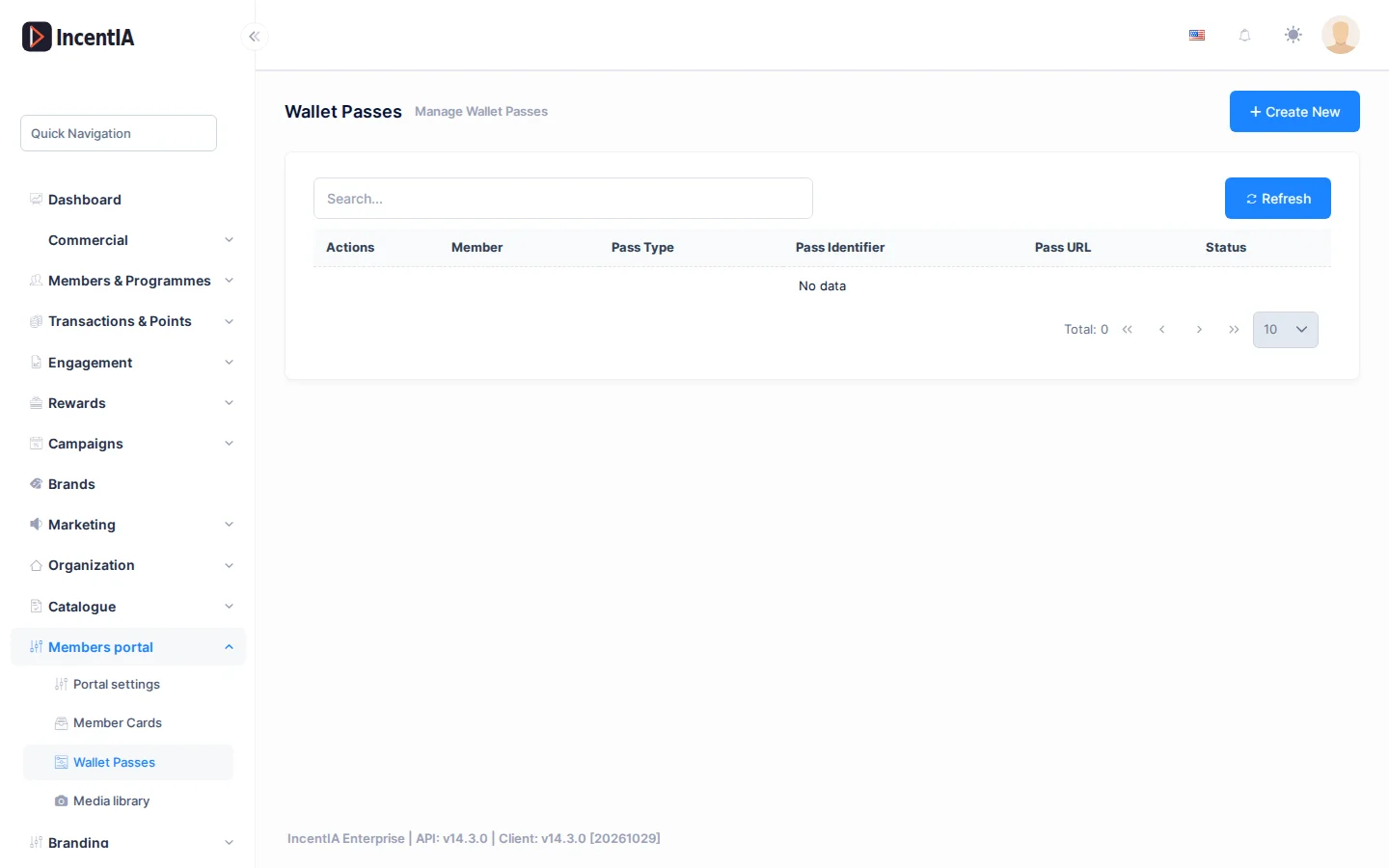
List
| Column | What it is |
|---|---|
| Member | Member the pass belongs to |
| Pass Type | AppleWallet or GoogleWallet |
| Pass Identifier | Identifier of the pass with your provider |
| Pass URL | Address of the pass |
| Status | Active, Expired or Revoked |
Actions per row: Edit and Delete.
Create / edit
| Field | What it is | Notes |
|---|---|---|
| Member * | Cardholder | |
| Pass Type | Apple Wallet or Google Wallet | |
| Pass Identifier | Serial number or identifier of the pass | Unique in your account |
| Pass URL | Address where the pass is downloaded | |
| Status | Active, expired or revoked |
IncentIA does not generate the pass or send it to the member's wallet: this screen records the one you have issued with your provider.
Statuses and limits
- A repeated card number or pass identifier is rejected with a warning.
- Both screens require a session in a specific account; platform access rejects them.
Permissions
| Action | Permission (UI text) | Technical id |
|---|---|---|
| View cards | Member Cards | Pages.Loyalty.MemberCards |
| Create / edit / delete cards | Creating · Editing · Deleting Member Card | Pages.Loyalty.MemberCards.Create · .Edit · .Delete |
| View passes | Wallet Passes | Pages.Loyalty.WalletPasses |
| Create / edit / delete passes | Creating · Editing · Deleting Wallet Pass | Pages.Loyalty.WalletPasses.Create · .Edit · .Delete |