Audit logs
This is where you answer "who changed this?". Every action by your team in the panel is recorded with the person, the time and the detail. Menu: Administration › Audit Logs.
Audit logs permission · The full detail of each change requires Full Change History
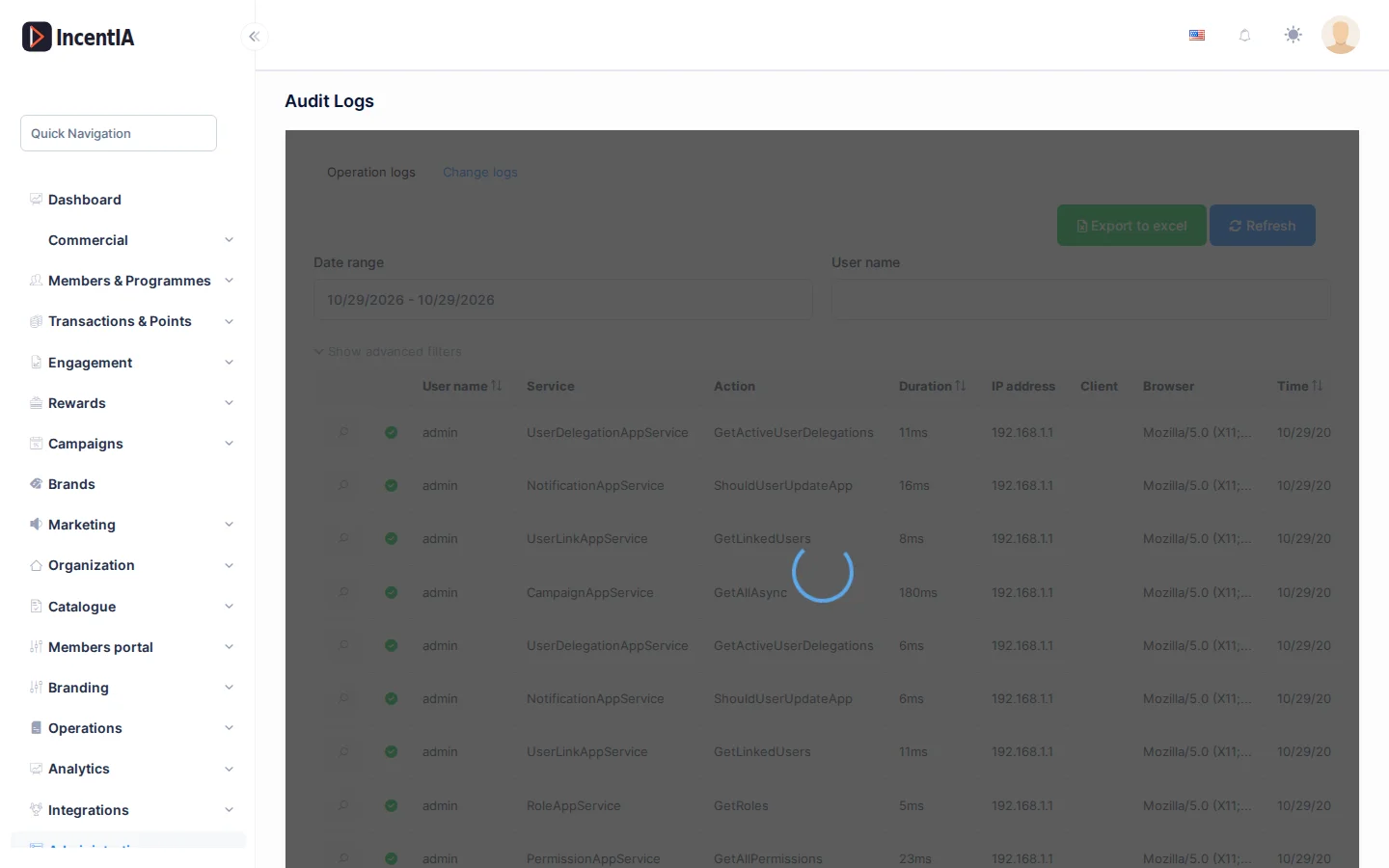
Operation logs
The first tab, Operation logs, lists every action someone performed in the panel.
| Column | What it is | Notes |
|---|---|---|
| Status icon | Whether the action finished successfully | Green tick if it went well; warning triangle if it errored |
| User name | Who did it | |
| Service and Action | Which screen or function it ran | |
| Time | When it happened | |
| Duration | How long it took, in milliseconds | |
| IP address, Client, Browser | Where from |
To narrow the search use Date range, User name, Service, Action and Error state (All, Success, Has error). Show advanced filters adds Duration and Browser. Click Search to apply and Export to excel to download the result.
Open a row to see the Audit log detail: user, service and action data, Parameters, Custom data and the error, if there was one.
Parameters store what was sent in each action. If an action included a phone number or an email, that data appears in the detail.
Change logs
The second tab, Change logs, shows which data was modified: the Object affected, who changed it and when. If someone else changed it by logging in as that user, you will see their Impersonator user name. View Change shows, property by property, the old and new value. All Changes gathers the detail of a single action.
Without the Full Change History permission you see a summary.
How long they are kept
The platform permanently deletes operation logs older than 180 days. If an investigation may need older data (fraud, a points dispute, a GDPR request), export to Excel first. Change logs and GDPR certificates are not deleted by this process.
Other logs
Some screens carry their own history, more complete than this one:
- Raffles: each raffle stores what is needed to reproduce it. See Cross-platform raffle.
- Points transactions: every movement is recorded. See Transactions.
- GDPR erasures: each one generates a certificate. See GDPR erasure and export.
- Received webhooks: see Webhooks.
Permissions
| Action | Permission (UI text) | Technical id |
|---|---|---|
| View the log | Audit logs | Pages.Administration.AuditLogs |
| View the full detail of changes | Full Change History | Pages.Administration.EntityChanges.FullHistory |