Earning rules
Each rule says how many points a member earns and why. Menu: Transactions & Points › Earning rules.
Availability
Earning rules permission · All editions. Only from a client account.
How it works
When a member makes a purchase or performs an action, IncentIA adds up the points from all the programme's active rules that match. It does not pick just one.
It then multiplies the result by the multiplier of the member's tier, by that of their paid subscription and by that of any active campaigns. Points are rounded to a whole number.
List
| Column | What it is |
|---|---|
| Name | Name of the rule. |
| Rule Type | PerAmount, PerTransaction, PerAction or Multiplier (the screen shows them in English). |
| Points per Unit | Points per unit of amount or per trigger. |
| Multiplier | Additional factor. |
| Fixed Points | Fixed points per trigger. |
| Active | Whether the rule is applied. |
The Actions menu on each row offers Edit and Delete.
Create / edit
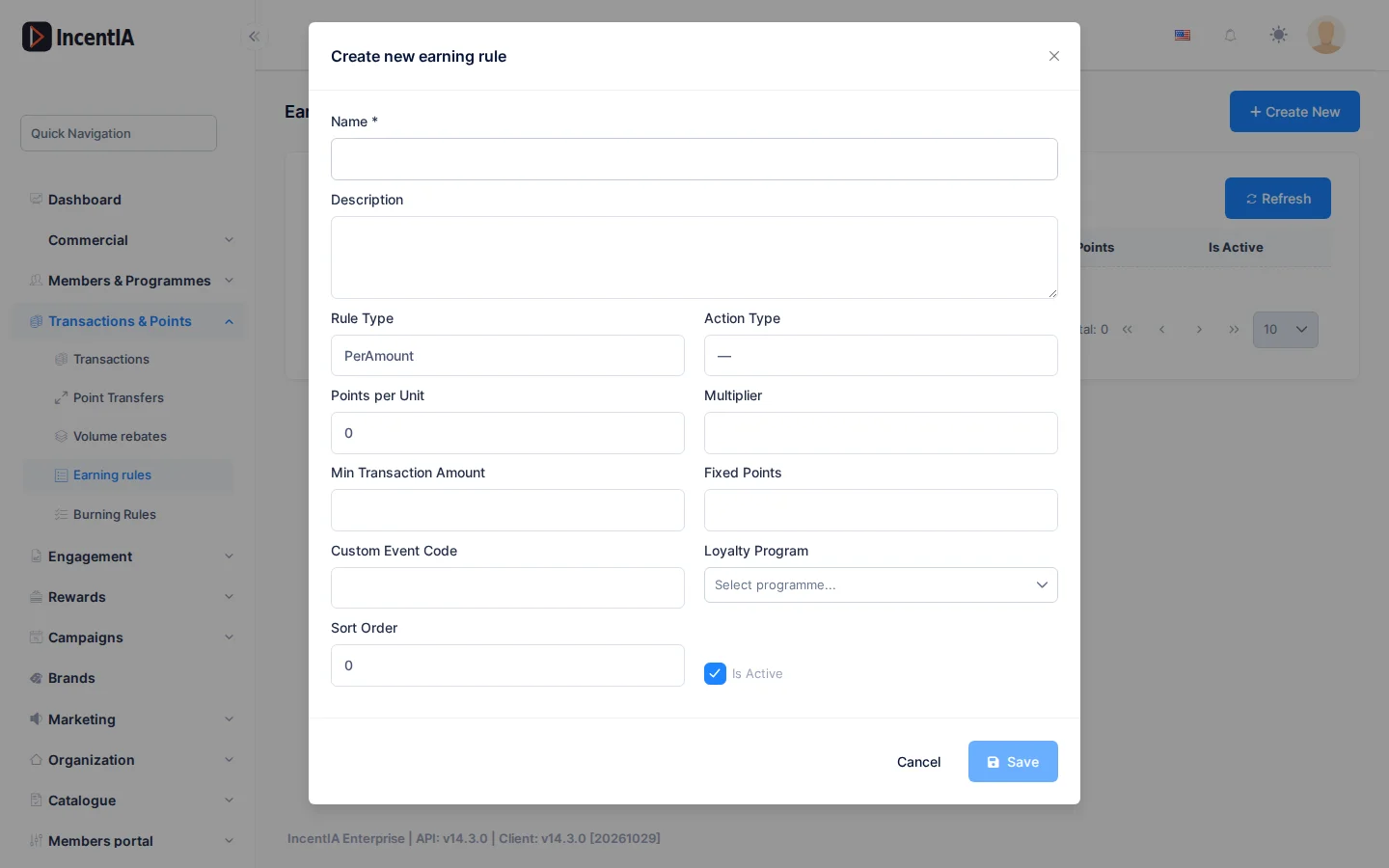
Click Create New.
| Field | What it is | Notes |
|---|---|---|
| Name and Description | Identify the rule. | |
| Rule Type | How the points are calculated. | See the table below. |
| Action Type | Action that triggers a PerAction rule. | Registration, Birthday, Review, CheckIn, SocialShare, Referral, ProfileComplete or Custom. |
| Points per Unit | Points per euro (or per trigger). | |
| Multiplier | Factor. | Optional. |
| Min Transaction Amount | Amount below which nothing is earned. | PerAmount only. |
| Fixed Points | Fixed points per trigger. | PerTransaction and PerAction. |
| Custom Event Code | Code of the event. | Required with the Custom action. |
| Loyalty Programme | The rule's programme. | |
| Sort Order | Order of application. | |
| Active | Turns the rule on. |
| Rule Type | Points awarded |
|---|---|
PerAmount | Amount × Points per Unit × Multiplier (1 if empty), rounded down. |
PerTransaction | Fixed Points per purchase or, if empty, Points per Unit (minimum 1). |
PerAction | Fixed Points (or Points per Unit) each time the member performs the chosen action. |
Multiplier | Amount × Points per Unit × Multiplier; adds nothing without a Multiplier. |
States and limits
- An inactive rule is not applied.
- A
PerActionrule with theCustomaction and no code gives points to nobody. - With a Custom Event Code on other actions, the rule only applies to the event with that code; leaving it empty matches any.
- To return part of each purchase as balance, use the programme's cashback or a cashback campaign.
Test a rule
After creating it, make a test purchase with a demo member and check the movement in Transactions.
Permissions
| Action | Permission (UI text) | Technical id |
|---|---|---|
| View the screen | Earning rules | Pages.Loyalty.EarningRules |
| Create | Creating Earning Rule | Pages.Loyalty.EarningRules.Create |
| Edit | Editing Earning Rule | Pages.Loyalty.EarningRules.Edit |
| Delete | Deleting Earning Rule | Pages.Loyalty.EarningRules.Delete |