Segments and criteria
A segment is a group of members who meet certain conditions. Use it to target campaigns and messages. Menu: Members & Programmes › Segments and Members & Programmes › Segment Criteria.
Segments permission (and Segment Criteria for the second screen) · All editions except Free ("Segments" feature). Only from a client account.
Segments
List
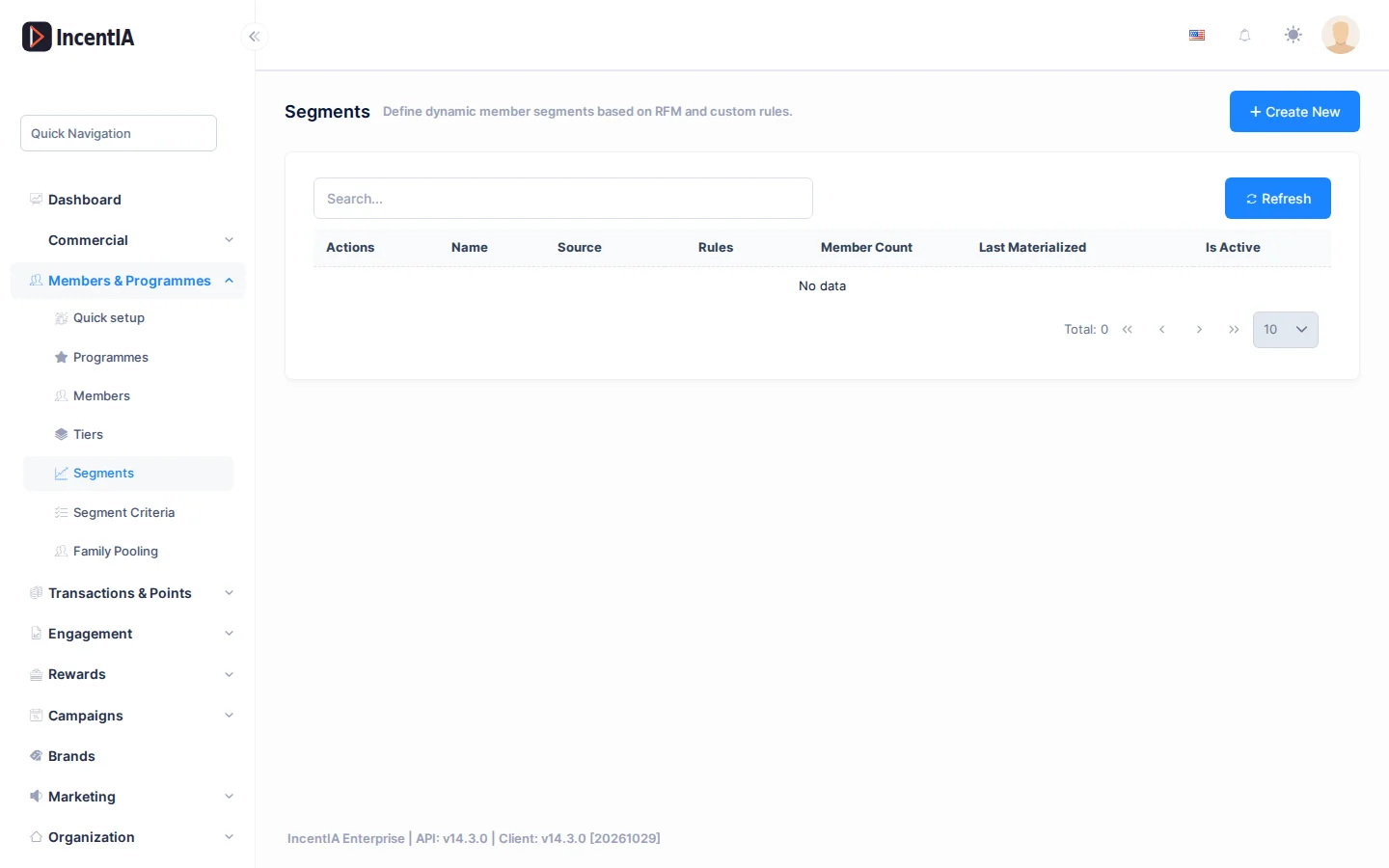
| Column | What it is |
|---|---|
| Name | Name and description of the segment. |
| Source | Dynamic (calculated with rules) or Static (uploaded list). |
| Rules | Number of rules in the dynamic segment. |
| Member Count | Members in the segment. |
| Last Materialized | Last time it was converted to a fixed list. |
| Active | Whether the segment is in use. |
The Actions menu offers View Members (opens Segment Members with Member Code, Name, Email, Phone, Status and Last Activity), Edit and Delete.
Create / edit
Click Create New.
| Field | What it is | Notes |
|---|---|---|
| Name | Name of the segment. | |
| Loyalty Programme | Programme whose members are evaluated. | |
| Description | What it is for. | |
| Segment Type | Manual, RfmBased, TierBased, ActivityBased or Custom. | Classification label. |
| Source | Dynamic or Static (CSV). | Chosen at creation. |
| Active | Turns the segment on or off. | Only when editing. |
Rules of a dynamic segment
Click Add group to add a group of rules. Within each group, Match decides whether ALL (AND) or ANY (OR) of the rules must be met. With several groups, Groups combines them with AND or OR.
Each rule chooses a field, an operator and a value. Available fields:
| Type | Fields |
|---|---|
| Profile | Status, First Name, Last Name, Email, Phone, Member Code, Region / City, Marketing Opt-in |
| Dates and age | Age (years), Birth Date, Join Date, Last Activity, Inactive (days) |
| Points | Point Balance, Total Earned, Total Redeemed |
| Tier | Tier Name |
While you edit, IncentIA recalculates a preview with the number of members and a few sample names. Click Preview to force it.
Materialize to static (only when editing) converts the current result into a fixed list. It supports up to 50,000 members and records the date in Last Materialized.
Static segment from a CSV
Save the segment first. Then, when editing it, upload a CSV with a single column (member ID, email or phone; the type is detected automatically) and click Import CSV. You will see how many members were imported, how many were skipped and the errors. Clear all empties the list.
Segment criteria
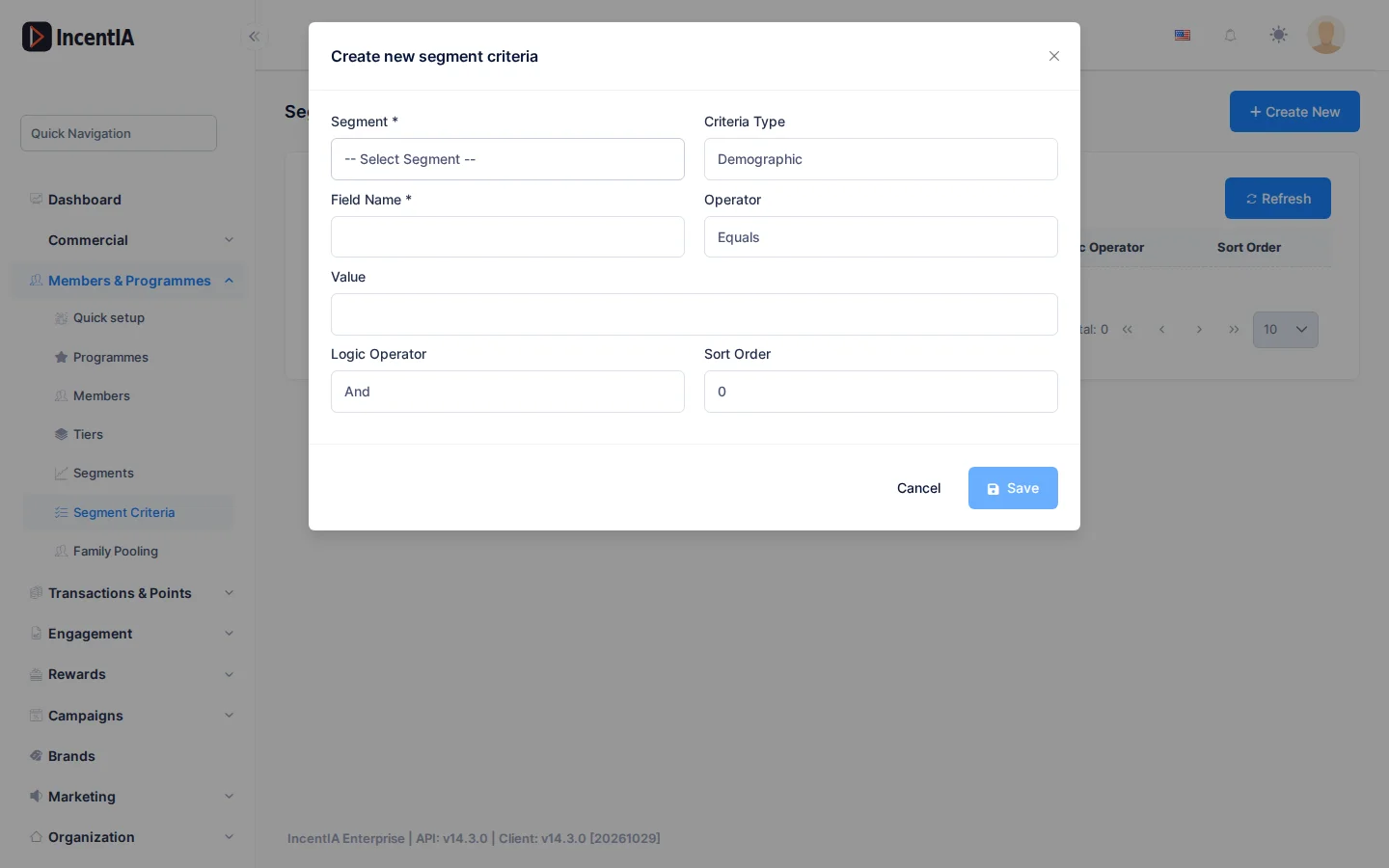
This screen stores simple conditions, one per row, which are added to the segment's rules when calculating its members.
| Field | What it is |
|---|---|
| Segment | Segment the criterion belongs to. |
| Criteria Type | Demographic, Behavioral, Transactional, RFM, Tier, Tag or Custom. |
| Field Name | Field being evaluated. |
| Operator | Equals, NotEquals, GreaterThan, LessThan, GreaterOrEqual, LessOrEqual, Contains, NotContains, In, NotIn or Between. |
| Value | Comparison value. |
| Logic Operator | And or Or with the previous criterion. |
| Sort Order | Order of evaluation. |
For new segments use the rule editor in Segments: it has a preview and groups. Keep Segment Criteria for segments that already had them.
Permissions
| Action | Permission (UI text) | Technical id |
|---|---|---|
| View segments | Segments | Pages.Loyalty.Segments |
| Create / edit / delete | Creating Segment · Editing Segment · Deleting Segment | Pages.Loyalty.Segments.Create · .Edit · .Delete |
| View criteria | Segment Criteria | Pages.Loyalty.SegmentCriteria |
| Create / edit / delete criteria | Creating Segment Criteria · Editing Segment Criteria · Deleting Segment Criteria | Pages.Loyalty.SegmentCriteria.Create · .Edit · .Delete |