AB Tests
Compare two or more variants of a campaign or programme and see which converts best. Menu: Campaigns › AB Tests.
AB Tests permission · Growth or Enterprise edition ("A/B Tests" feature).
Here you define, launch and conclude experiments and calculate their results. No participation flow yet assigns members to variants or adds up impressions or conversions on its own, so the counters only move if your technical team feeds them. Do not use the result to make a decision without first checking that it has data.
How it works
A test has a campaign or a programme, a period and several variants. Each variant carries a Traffic percentage and one of them is the Control, the reference version.
For each variant, Impressions (members who saw it) and Conversions are counted. The Conversion Rate is conversions divided by impressions. The Lift over Control compares each variant with the control.
A winner is declared when all of these conditions are met:
- The control and the candidate variant exceed the Minimum Sample Size.
- The best variant converts more than the control.
- A two-proportion statistical test gives a significant difference at 5%.
List
| Column | What it is |
|---|---|
| Name | The test name and, below it, its hypothesis. |
| Status | Draft, Running, Paused, Completed or Cancelled (the screen shows them in English). |
| Variants | Number of variants. |
| Start Date / End Date | The test period. |
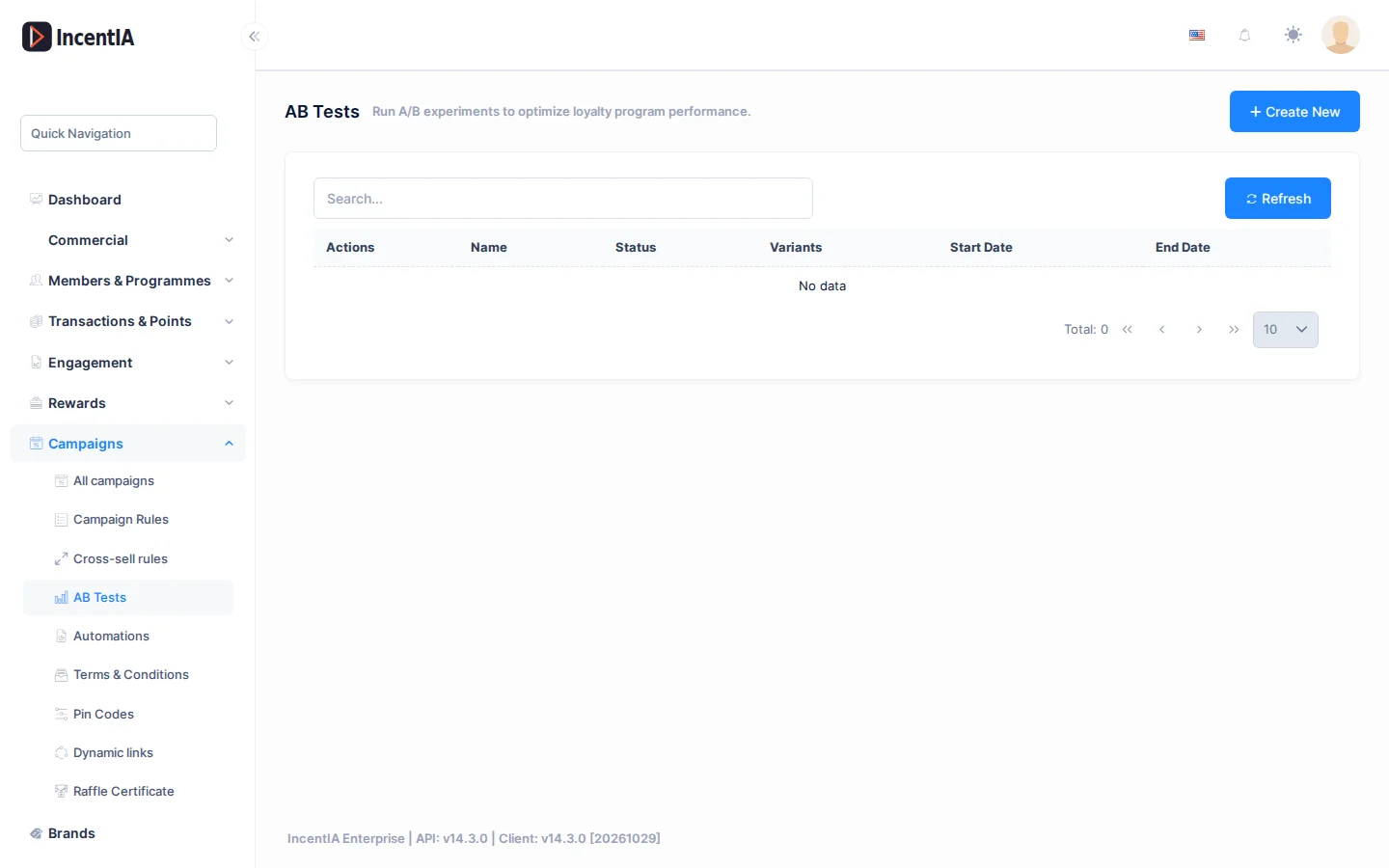
The Actions menu on each row offers:
| Action | When it appears | What it does |
|---|---|---|
| Edit | Always | Opens the form. |
| Launch | Draft or Paused | Moves to Running. |
| Pause | Running | Moves to Paused. |
| Conclude | Running or Paused | Moves to Completed. |
| Results | Running or Completed | Opens Experiment Results. |
| Delete | Always | Deletes the test. |
Create / edit
Click Create New.
| Field | What it is | Notes |
|---|---|---|
| Name | The test name. | Required, up to 256 characters. |
| Loyalty Program | The programme it belongs to. | |
| Hypothesis / Description | What you are testing and what you expect. | Up to 2000 characters. |
| Campaign | The test's campaign. | |
| Start Date / End Date | Period. | |
| Minimum Sample Size | Minimum impressions per variant to declare a winner. | 1 or more. |
| Confidence Level | A value between 0 and 1. | It is saved, but significance is always calculated at 5%. |
| Status | Current status. | Only when editing. |
| Variants | Table with Variant name, Traffic (%) and Control. | Add Variant button. |
The form shows the total Traffic and warns you if it does not add up to 100%. Save stays disabled until it adds up to exactly 100.
To click Launch, the test needs at least one variant, a total traffic of 100% and exactly one Control. Otherwise IncentIA rejects the launch and tells you what is missing.
Experiment results
Results shows:
- Total Impressions and Total Conversions.
- Variant Breakdown: Impressions, Conversions, Conversion Rate, Traffic and Lift over Control.
- Statistical Significance and Winner. Until there is enough data you will see Not enough data yet to reach statistical significance.
Statuses and limits
- If several tests are running on the same campaign, their results get mixed. Keep only one active.
- A control that beats the variants is not marked as the winner: only a variant that improves on the control is highlighted.
- Landing pages have their own variants inside the Landing builder; they are not these tests.
Permissions
| Action | Permission (UI text) | Technical id |
|---|---|---|
| View tests and results | AB Tests | Pages.Gamification.ABTests |
| Create | Creating AB Test | Pages.Gamification.ABTests.Create |
| Edit, launch, pause and conclude | Editing AB Test | Pages.Gamification.ABTests.Edit |
| Delete | Deleting AB Test | Pages.Gamification.ABTests.Delete |