Message templates
A template is the text the platform sends when an event happens (welcome, prize, password reset…). Menu: Marketing › Messaging › Templates.
Message templates permission (create, edit and delete have their own permissions) · Edition: all
List
Search with Search..., refresh with Refresh and create with Create New.
| Column | What it is | Notes |
|---|---|---|
| Name | Internal name | |
| Channel | Channel the template is written for | Email, WhatsApp, Telegram, SMS, Push or InApp |
| Message Type | Event that triggers it | See below |
| Active | Whether it is used | |
| Language Code | Template language |
Under Actions you have Edit and Delete.
Create / edit
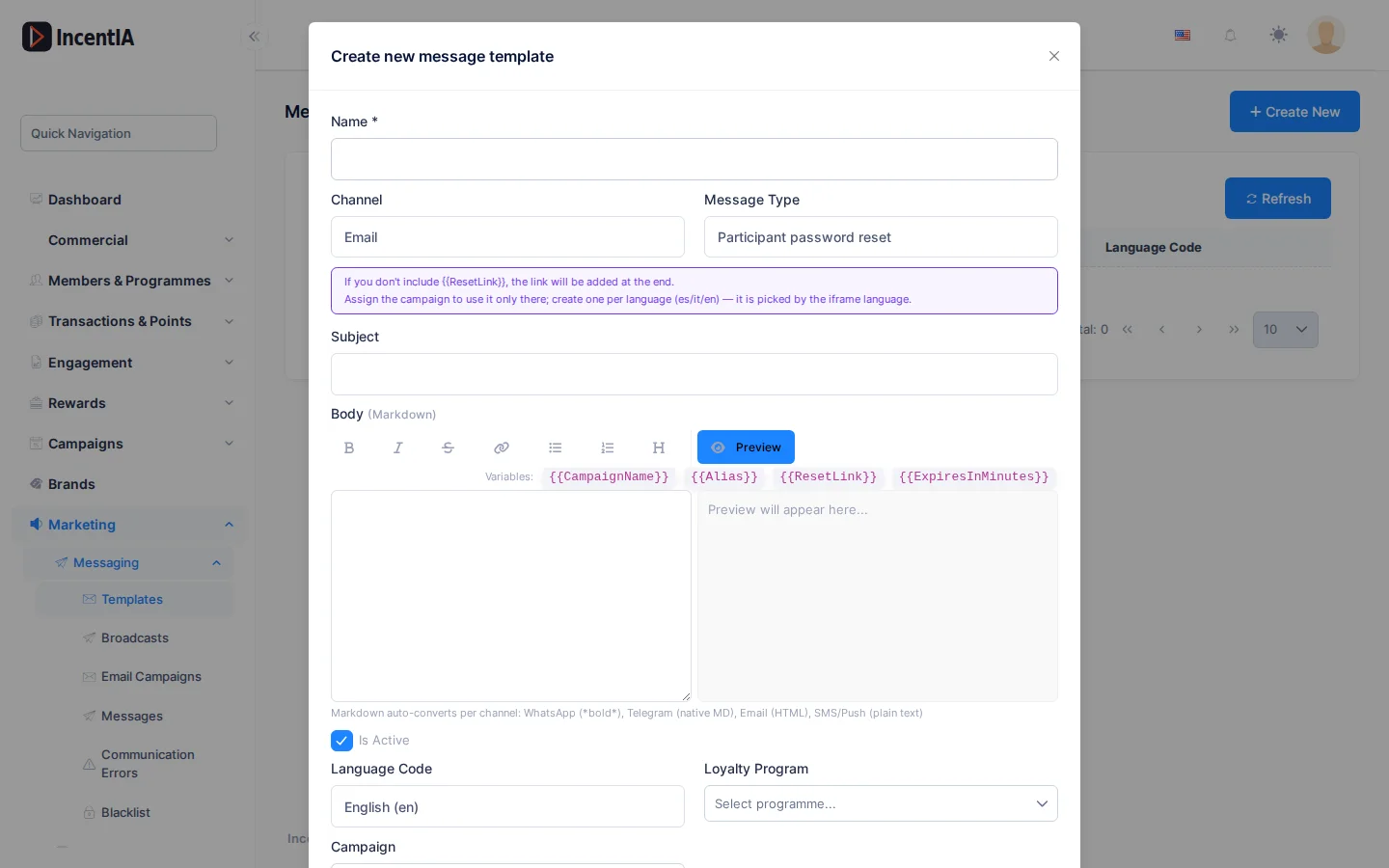
| Field | What it is | Notes |
|---|---|---|
| Name | Template name | Required |
| Channel | Delivery channel | |
| Message Type | Event it responds to | |
| Subject | Message subject | Mainly used in email |
| Body | Text in Markdown | Up to 4,000 characters |
| Active | Turns the template on or off | |
| Language Code | Language | Empty = no specific language |
| Loyalty Program | Limits the template to one programme | Optional |
| Campaign | Limits the template to one campaign | Optional |
About the body:
- The toolbar inserts bold, italic, strikethrough, link and lists.
- Click a variable (for example
{{FirstName}}) to insert it. By defaultFirstName,LastNameandPhoneare available. - Preview opens a preview next to the editor.
- Markdown is adapted to each channel: WhatsApp uses
*bold*, Telegram native Markdown, email HTML, and SMS or Push plain text.
Message types
The types are: Welcome, TransactionConfirmation, PointsExpiring, LevelUp, CampaignPromotion, RewardAvailable, GameInvitation, StreakReminder, Custom, EvidenceApproved, EvidenceRejected, TierGraceStarted, TierRecovered, TierDemoted, RaffleWinner, CashbackPayoutRequired, InstantWinWon, InstantWinClaimed, Field rep invitation and Participant password reset. Almost all of them appear untranslated in the dropdown.
Participant password reset
This is the message landing participants receive when they ask for a new password. It only supports the Email channel.
- Variables:
{{CampaignName}},{{Alias}},{{ResetLink}}and{{ExpiresInMinutes}}. - If you do not include
{{ResetLink}}, the link is added at the end. - Assign a Campaign to use the template only for that campaign. Create one per language (es, it, en): it is chosen according to the landing's language.
Field rep invitation
Email message to invite a field rep. Variables: {{RepName}}, {{RepSurname}}, {{RepFullName}}, {{UserName}}, {{InvitationLink}}, {{ExpiresInHours}}, {{BrandName}}, {{BrandLogoUrl}} and {{TenantName}}. Without {{InvitationLink}}, the button is added at the end. Without a campaign it applies to all field reps; with a brand's campaign, only to that brand's reps.
Statuses and limits
- An inactive template is not used.
- WhatsApp templates for messaging first also need Meta approval; see WhatsApp.
Permissions
| Action | Permission (UI text) | Technical id |
|---|---|---|
| View templates | Message templates | Pages.Communications.Templates |
| Create | Creating Template | Pages.Communications.Templates.Create |
| Edit | Editing Template | Pages.Communications.Templates.Edit |
| Delete | Deleting Template | Pages.Communications.Templates.Delete |
Related
- Concept: Communications
- Guide: Set up channels and templates
- Channels · Messages and errors